
Case Study
Moen Mobile App Redesign
UX Cabin helped Moen combine three mobile apps into one, create a scalable design and animation system, and established user testing methods to improve all designs going forward.
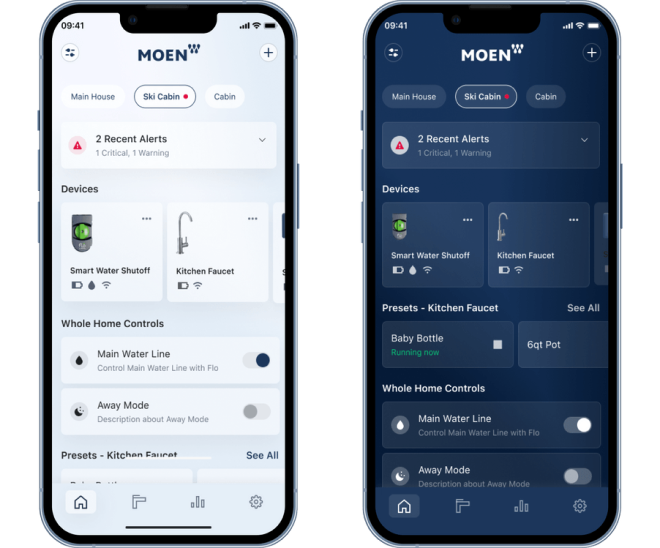
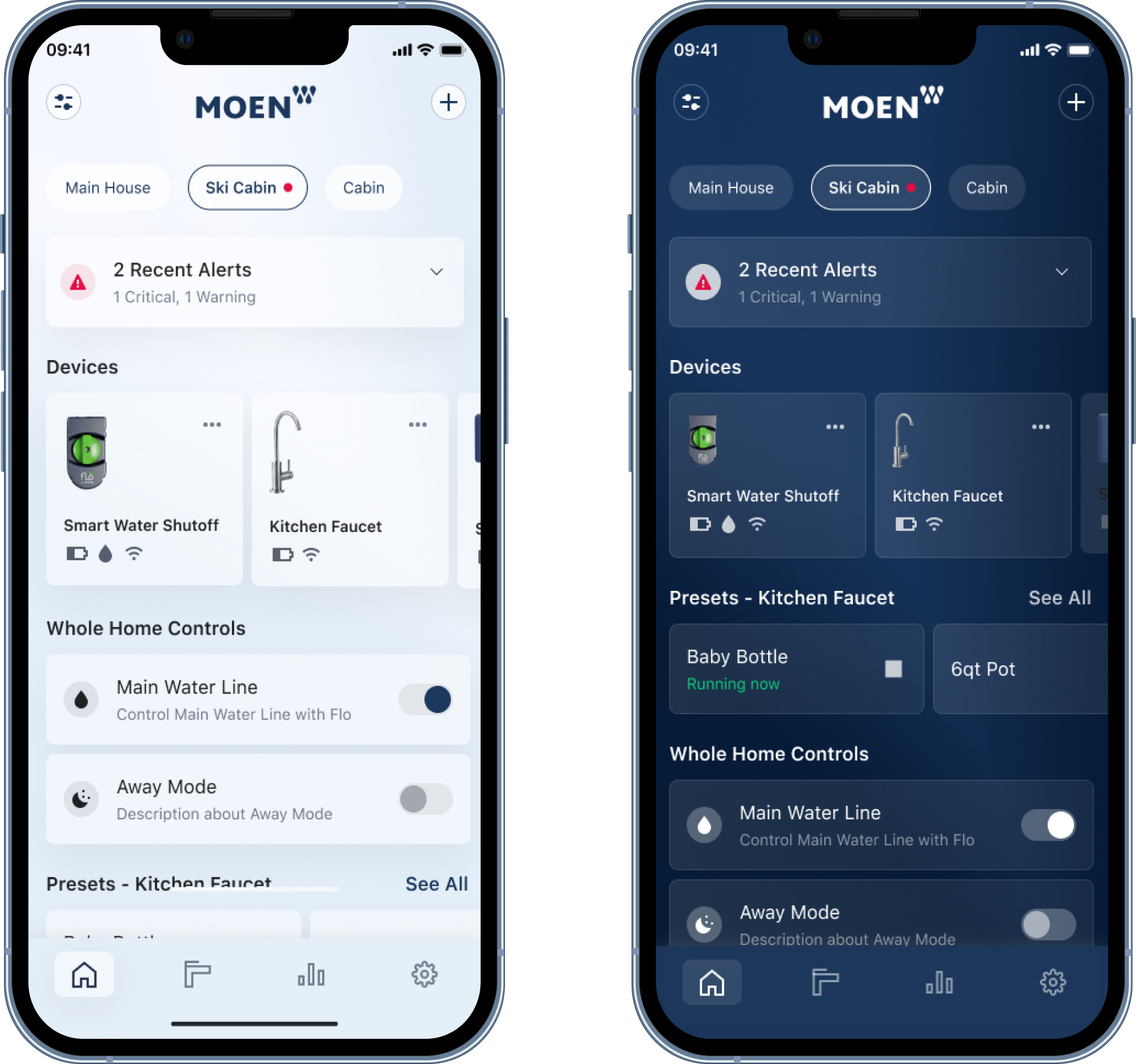
🌓 Light and Dark Mode
We designed light and dark mode for every feature, flow, and component.
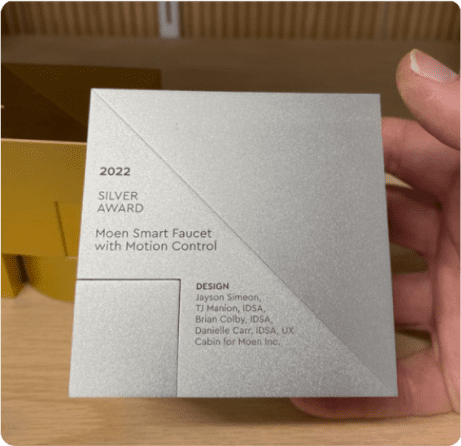
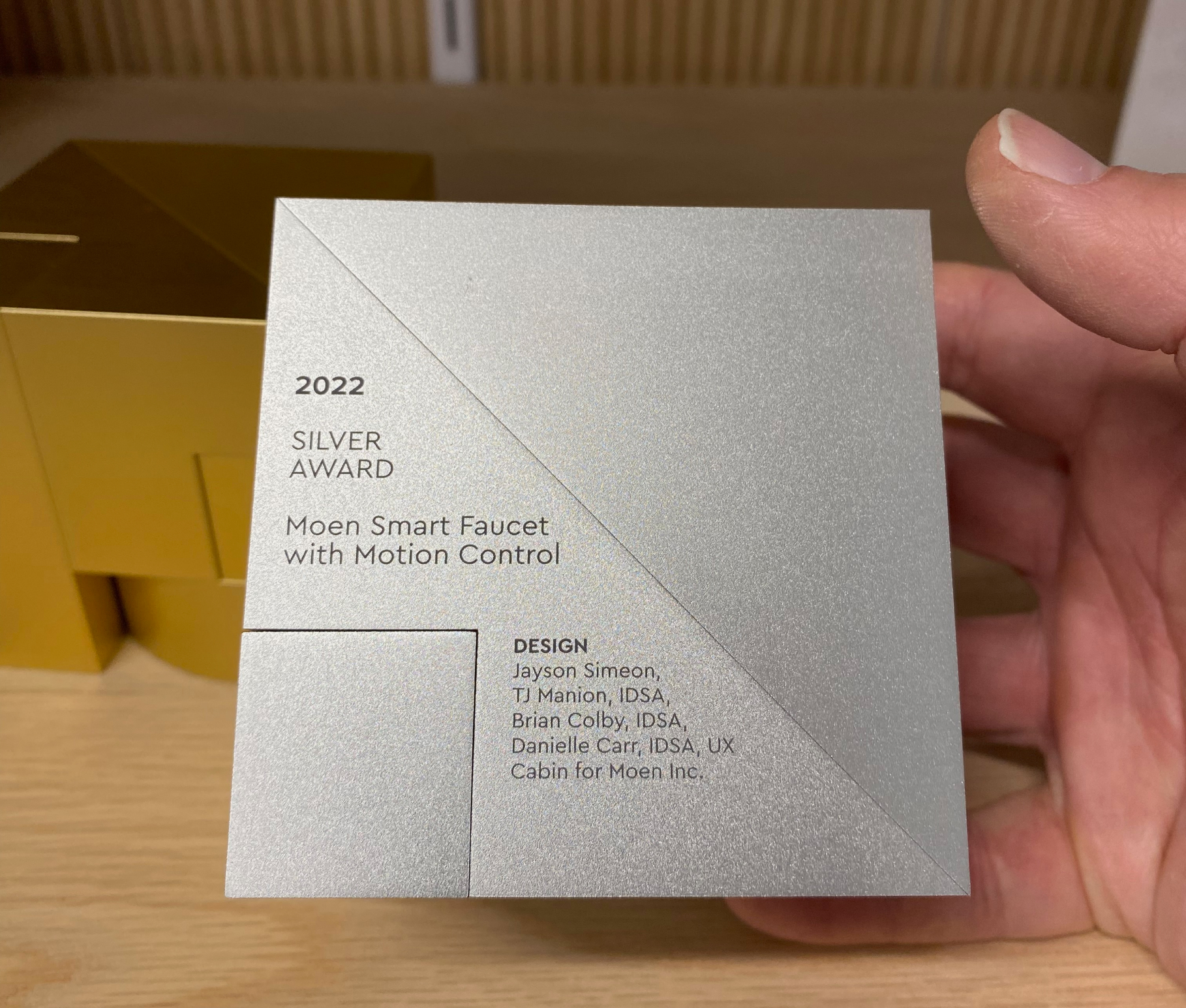
🏆 Won an IDSA Award
UX Cabin helped Moen win a silver IDSA Award for work on the Smart Faucet Motion Control
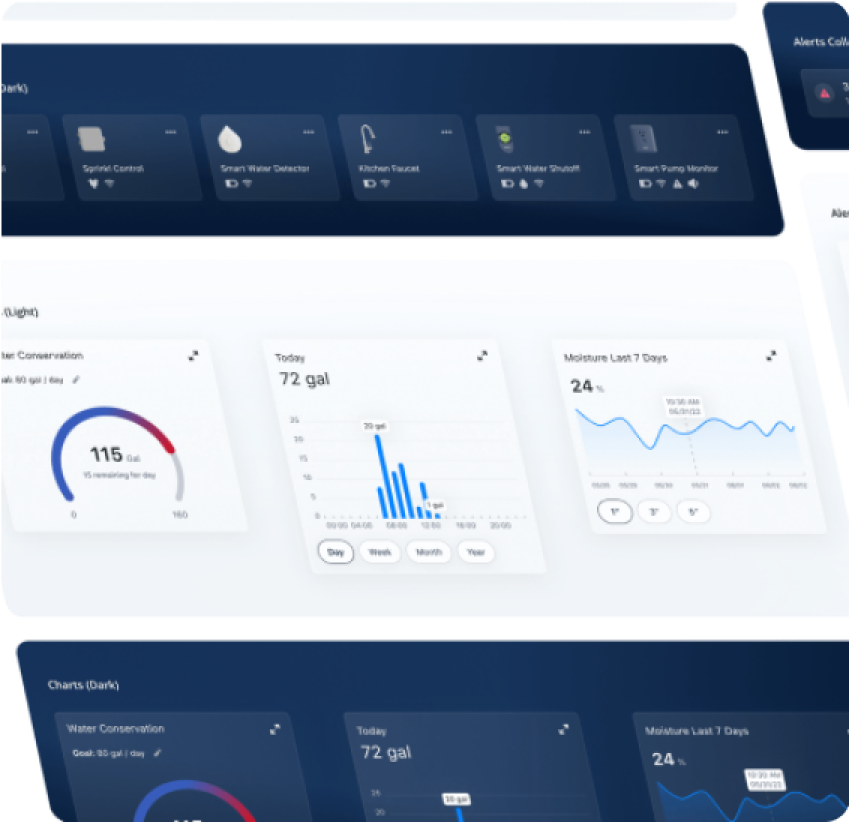
🍱 Scalable Design System
Our design system helped get products out the door, and onboard team members faster.
💰 Delivered ROI
🍎 iOS and Android 🤖
All designs took into account the specifics for each platform
🎥 Robust Animation Library
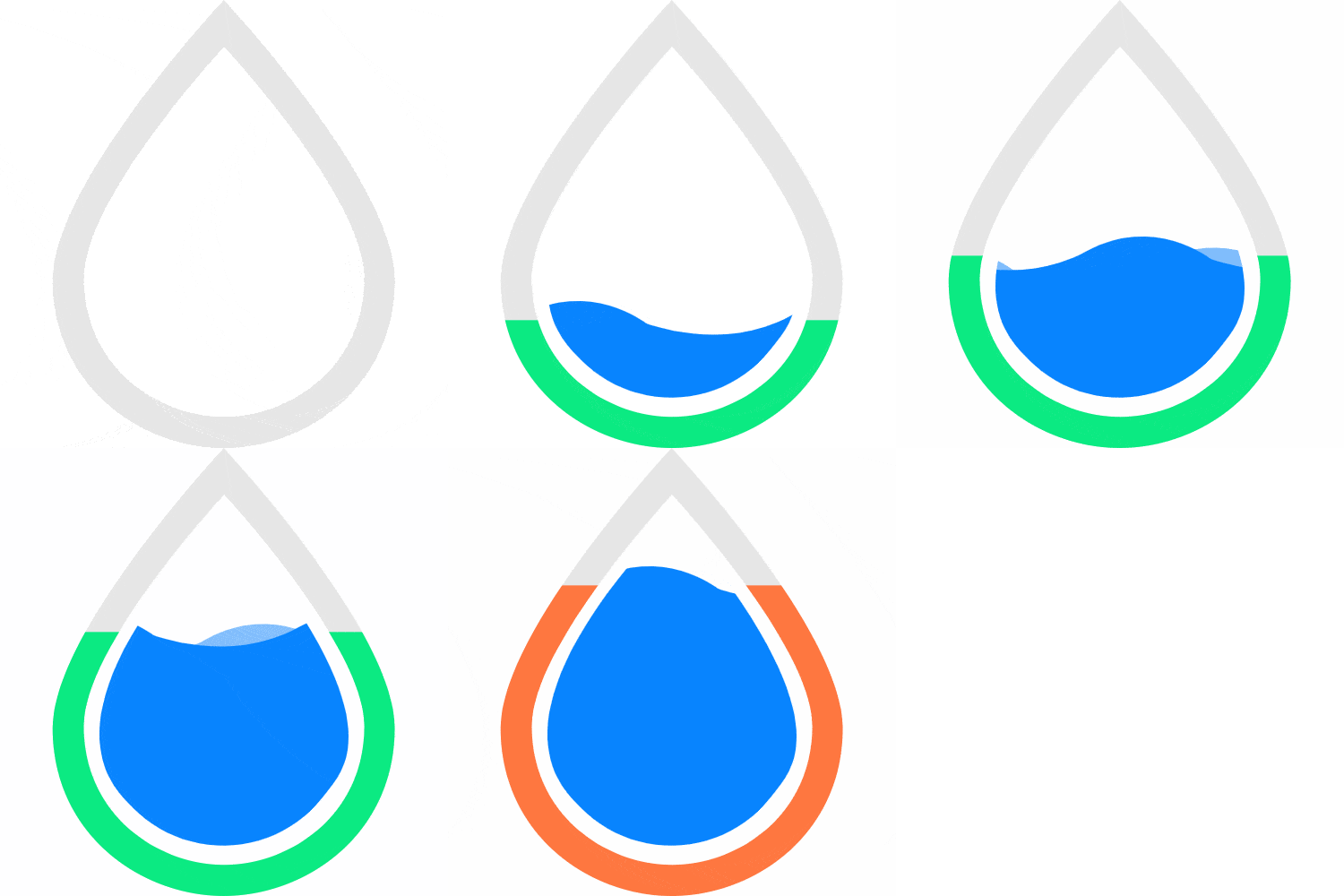
Created a motion and animation library for dozens of interactions and sequences
Summary
UX Cabin helped Moen streamline several apps into one and update their visual design language.
UX Cabin also helped Moen win a silver IDSA award for one of the products in their Moen Smart Water Network platform!
Background
Moen is one of the largest producers of faucets and water hardware in the world. In addition to their hardware business they recently expanded into the Smart Home market. One of their initiatives for growing this line of business was to acquire multiple companies to integrate into their existing app.
Objectives
- Combine the existing app with the two acquired apps
- Update to a modern design language
- Create a design system to simplify design & unify development
- Find ways to add user delight
“I've worked with a fair amount of agencies… and this is hands down one of the best experiences I've ever had”

Brian Colby
Principal UX Design, Moen
App Re-Design
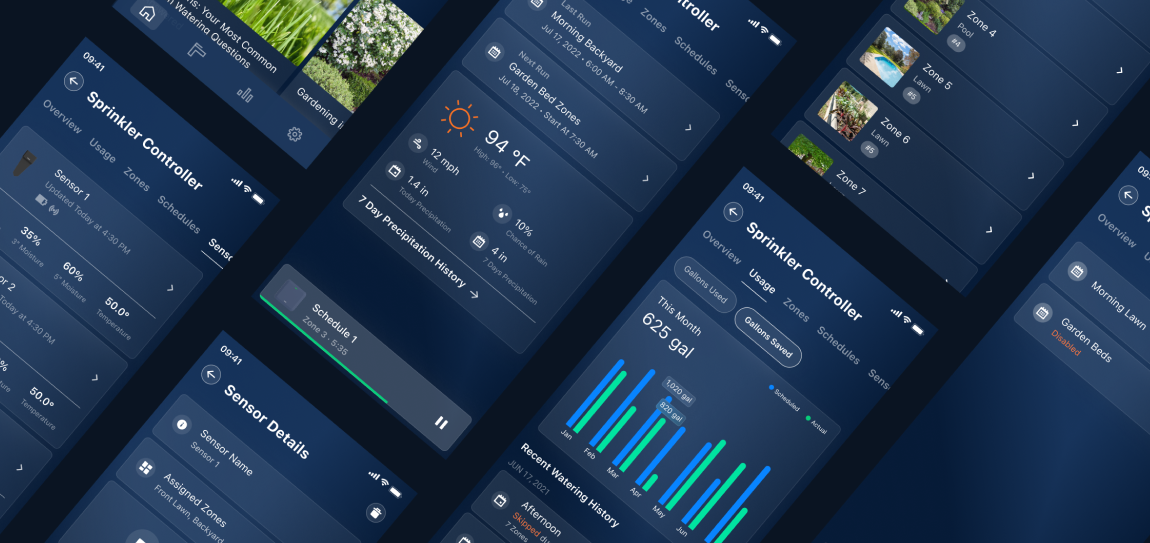
UX Cabin helped Moen combine three mobile apps into one unified experience to manage all water products in your smart home.
Getting Up to Speed
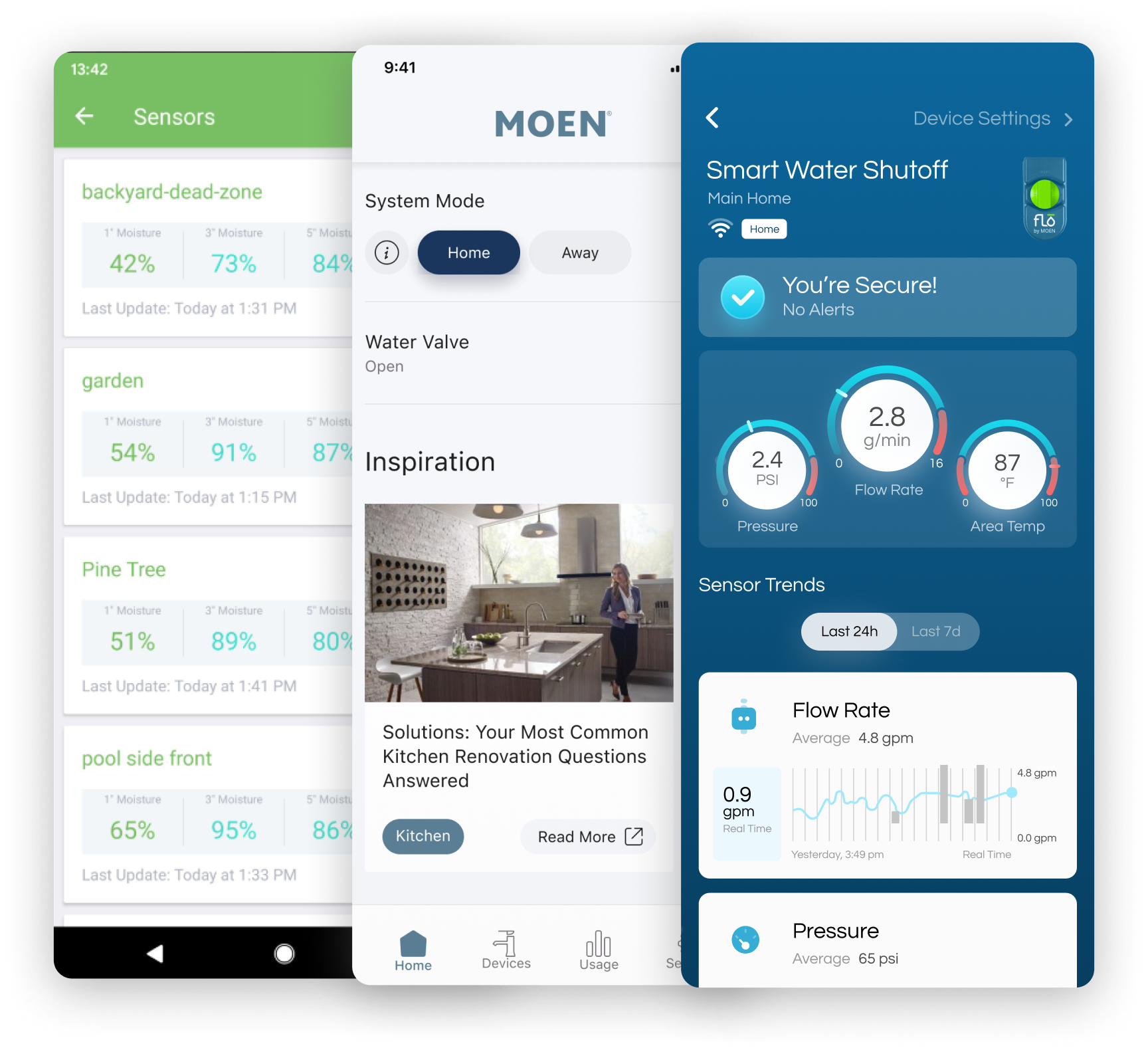
To get up to speed as quickly as possible, the UX Cabin reviewed old Sketch and Figma files. The team organized relevant mockups and app screenshots and mapped them to existing flows.
Information Architecture
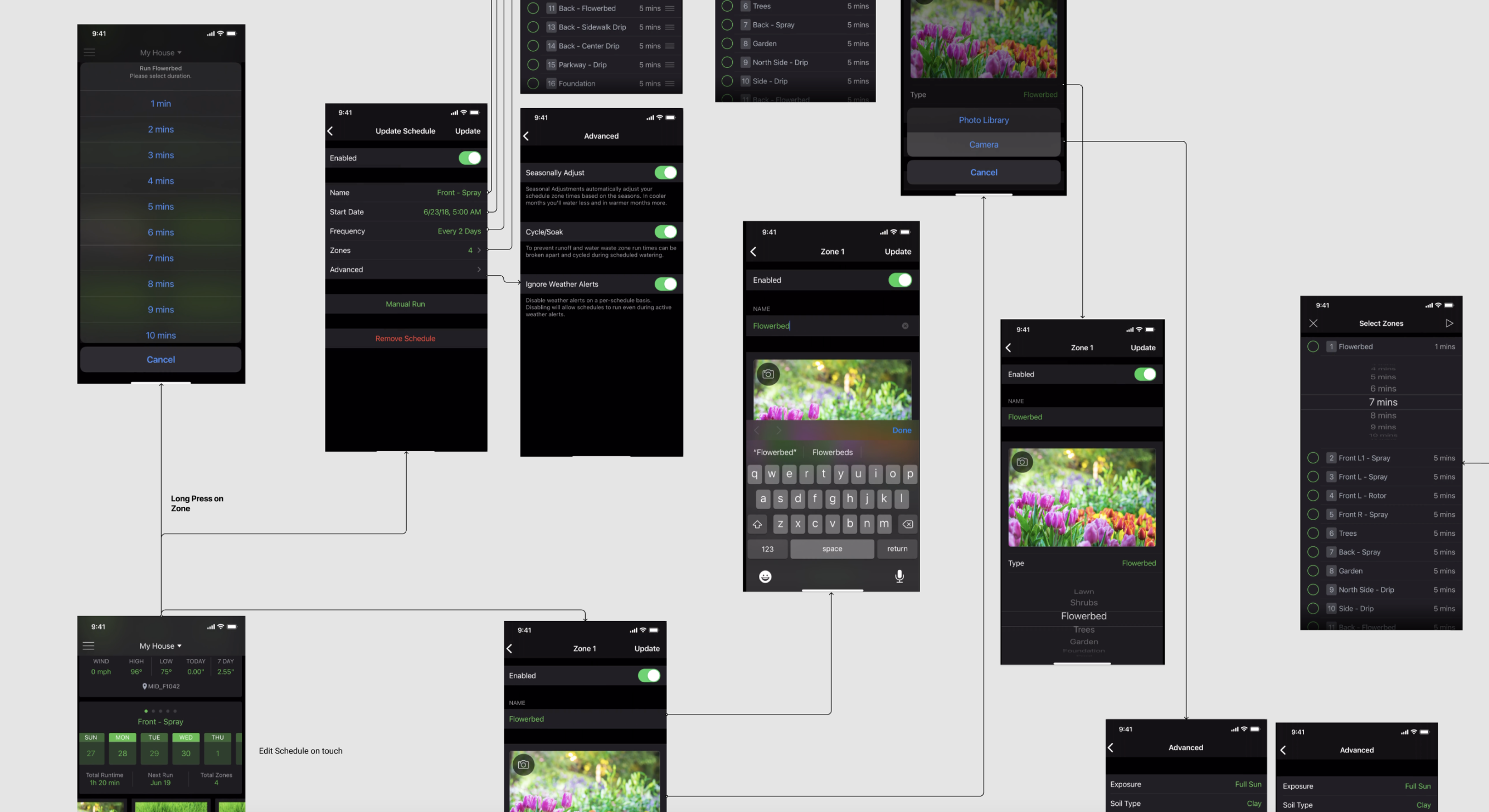
After reviewing product feedback as well as industry best practices UX Cabin reviewed the current information architecture and created a model that could support many different types of smart water devices within one app.
Results
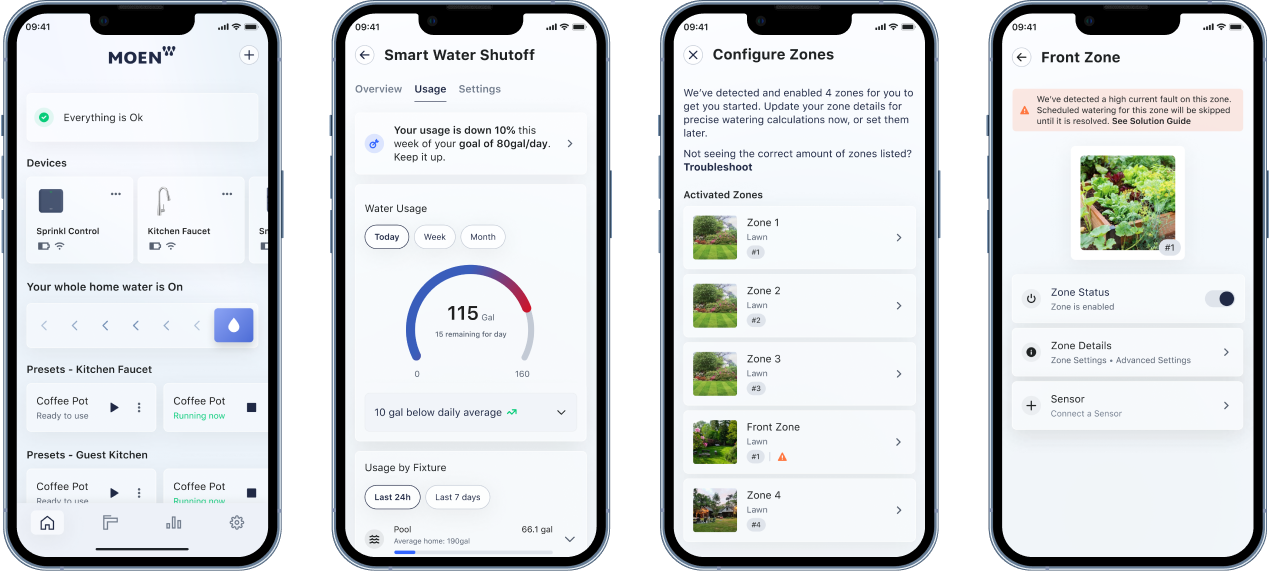
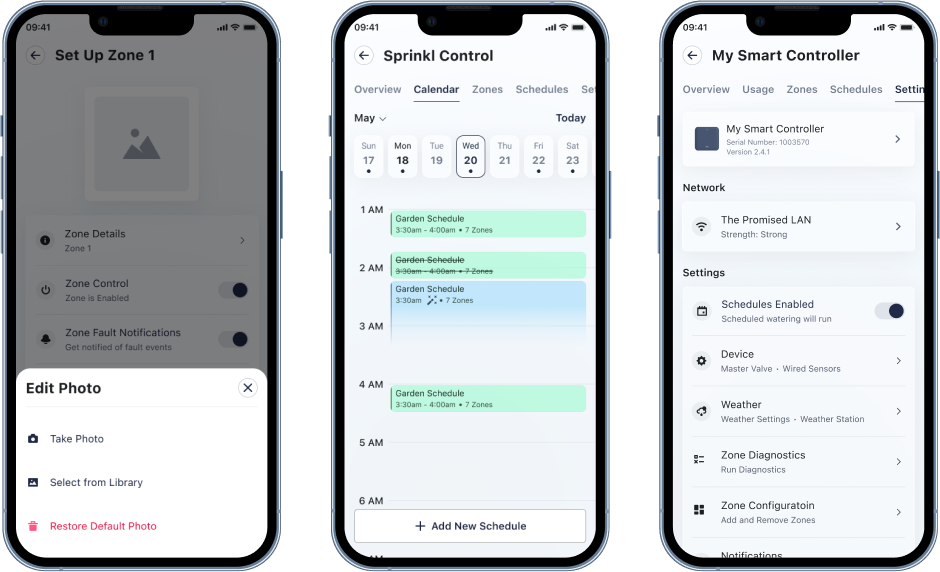
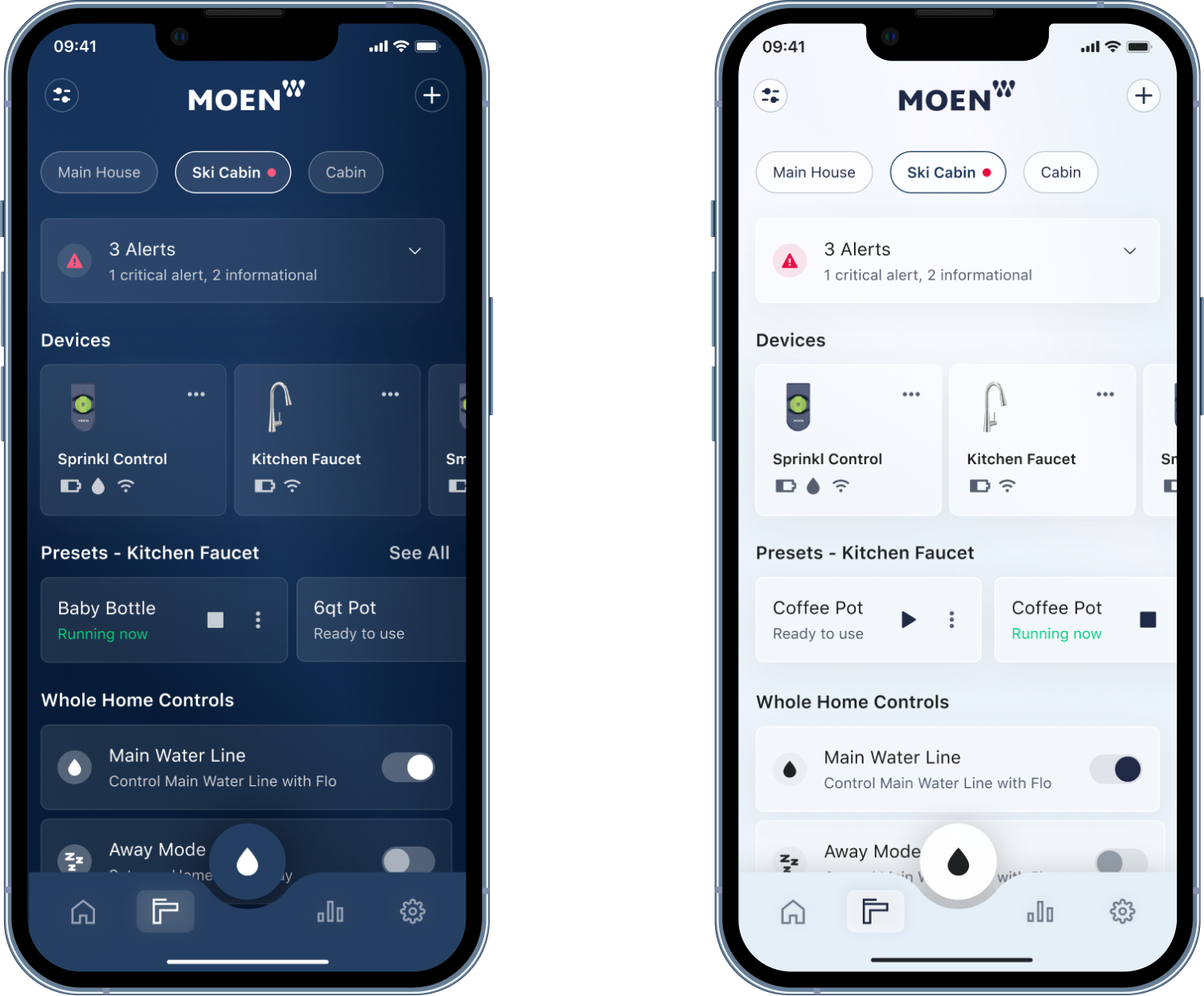
After several iterations of feedback we landed on a glassy look and feel and a scalable design that would support many more smart water devices as Moen continues to grow their offering.
Design System & Dev Handoff
UX Cabin created a design system containing 400+ re-usable components with an average usage of ~2,500 insertions per week.
“We stood up a fully functional design system in a couple of months. Because of that we were able to get products out the door, period. Incredible ROI for us.”
Brian Colby
Principal UX Design, Moen
Styles
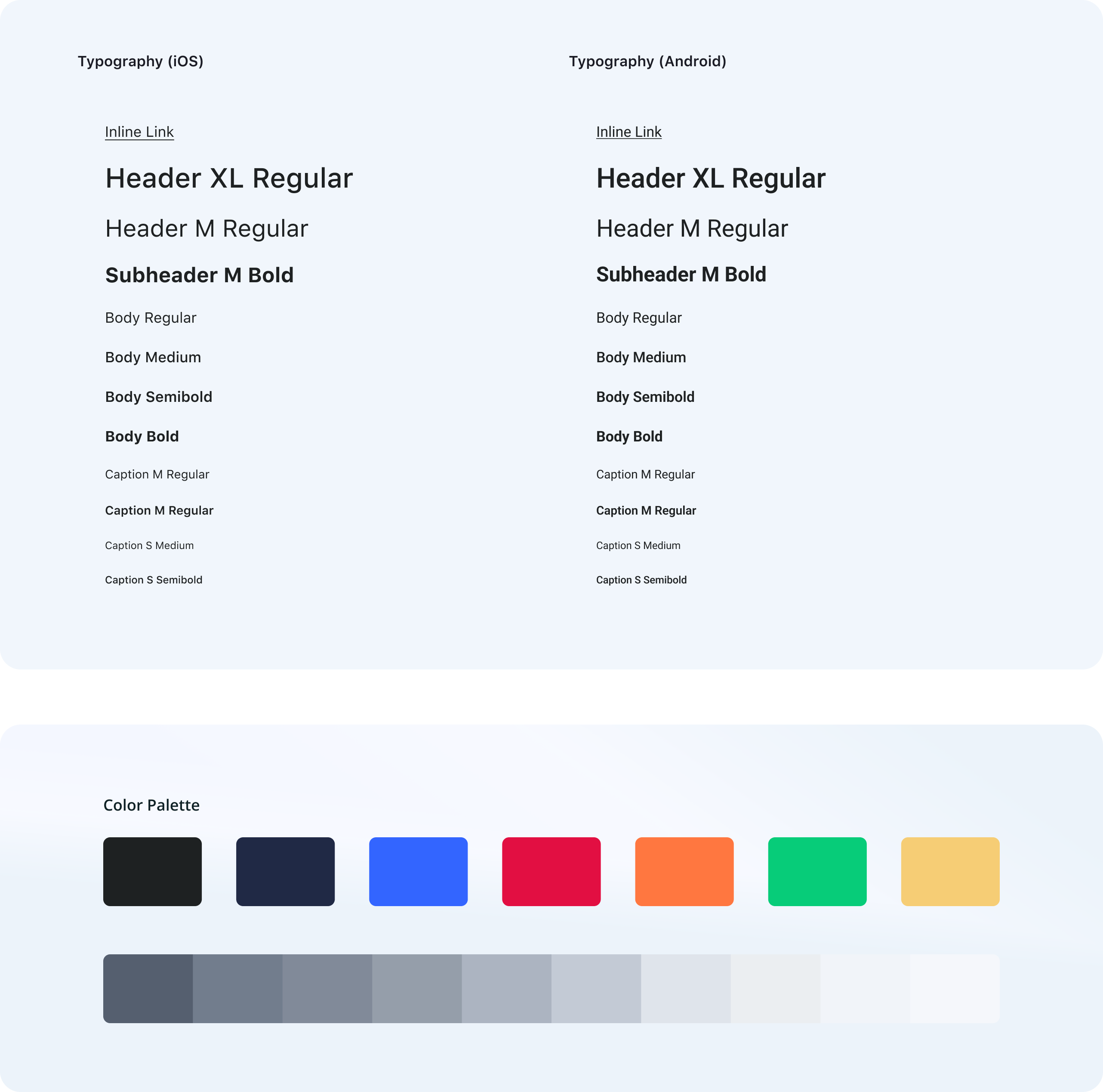
In order to create a scalable system we started with basic style primitives including text styles, base color palette, shadows and container styles.
These styles enabled us to maintain a consistent design language and speed up the design process. Adding new styles was also a breeze thanks to our flexible naming conventions.
Component Library
The Design System was created after Brad Frost's "Atomic Design" model. In this model, the smallest UI elements are referred to as "atoms" and are assembled together in order to create components referred as to "molecules". The most complex are called "organisms".
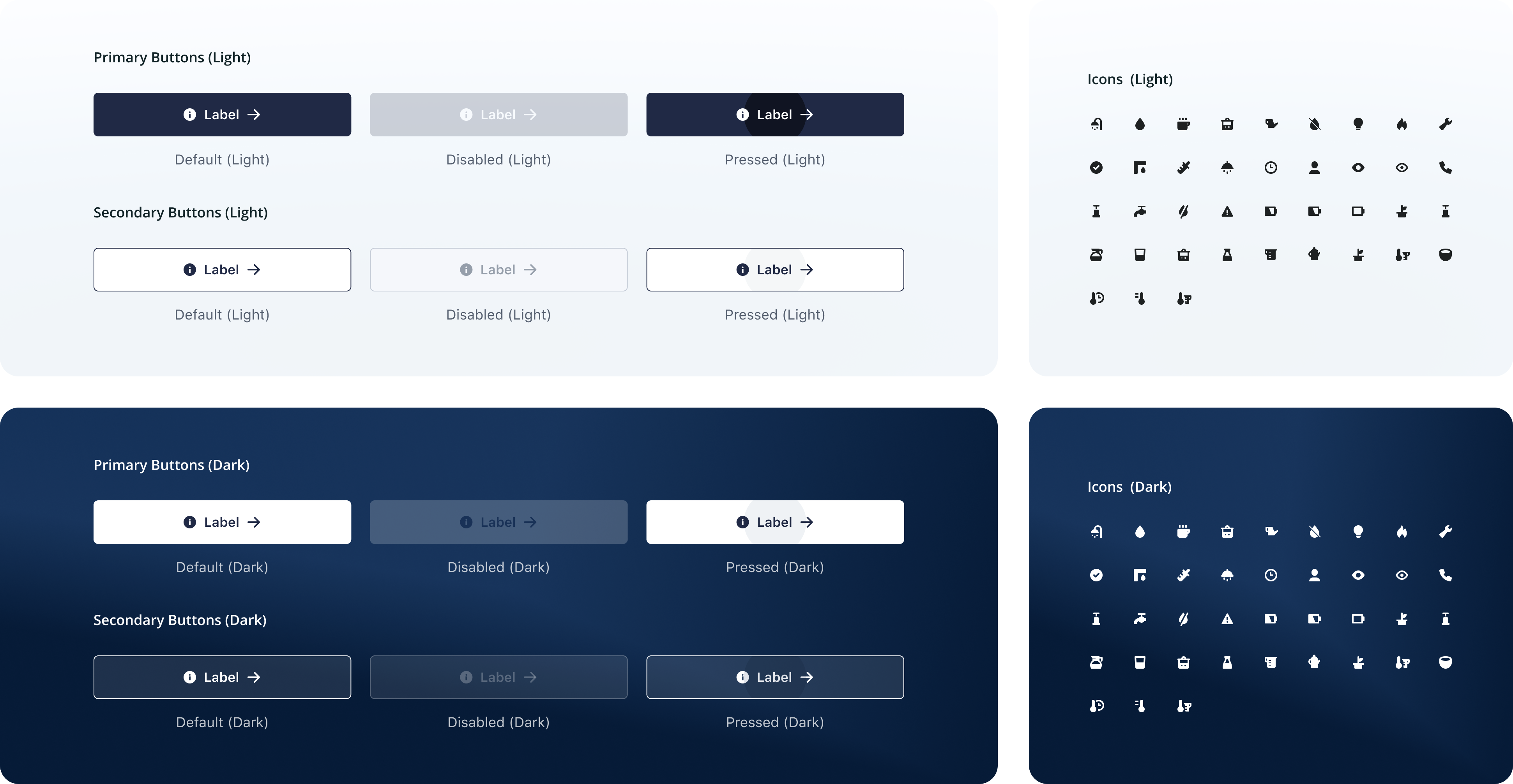
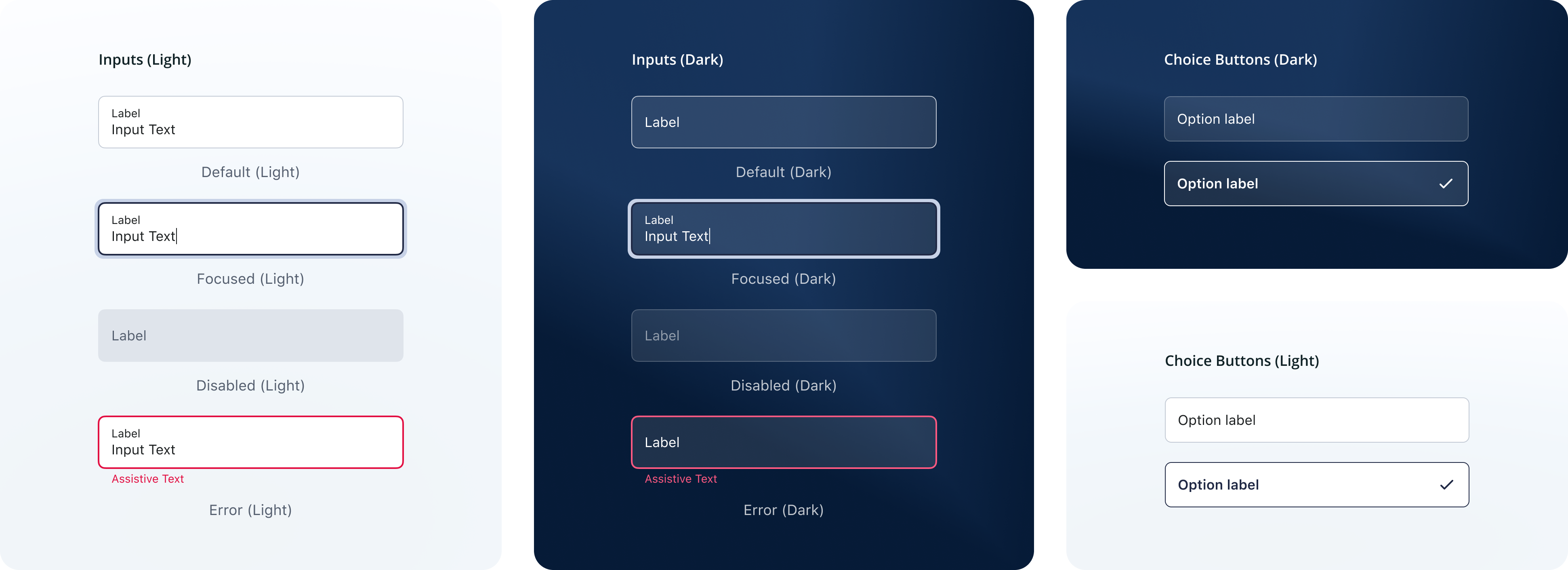
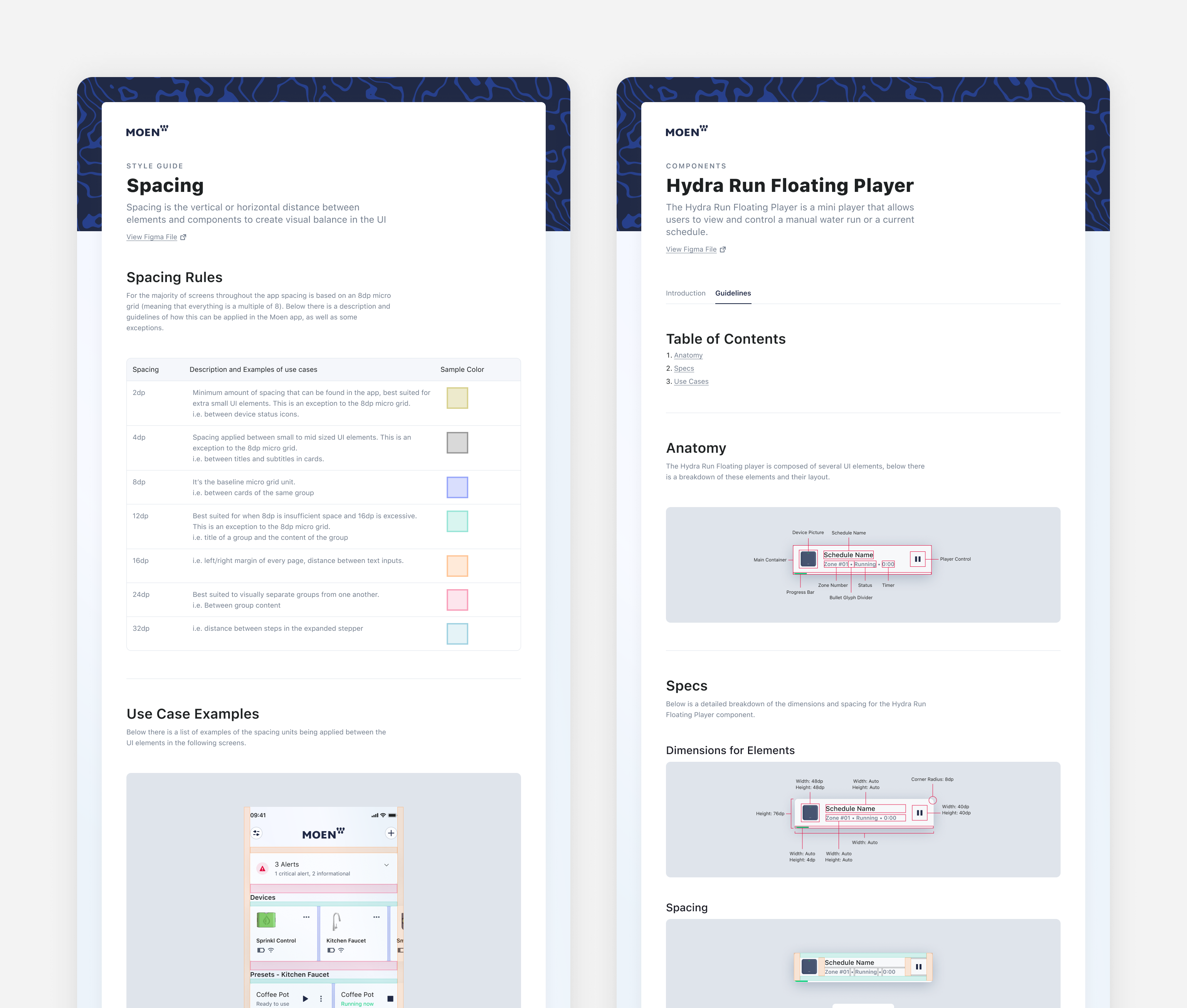
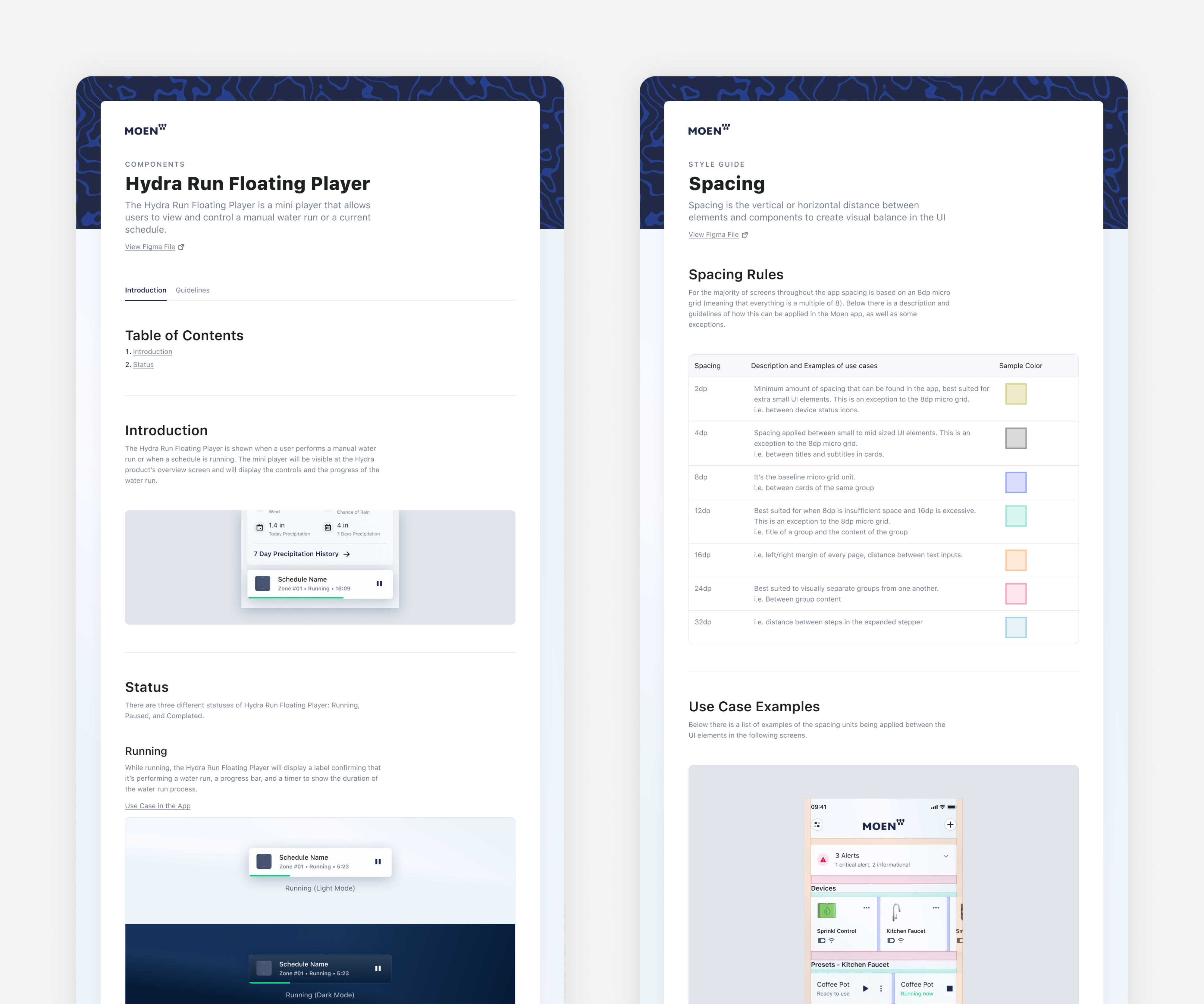
From these basic elements we then created more complex design "organism" components such as Top Nav, Bottom App Bar, Stepper, Floating Player, Notification Cards, and Action dropdowns.
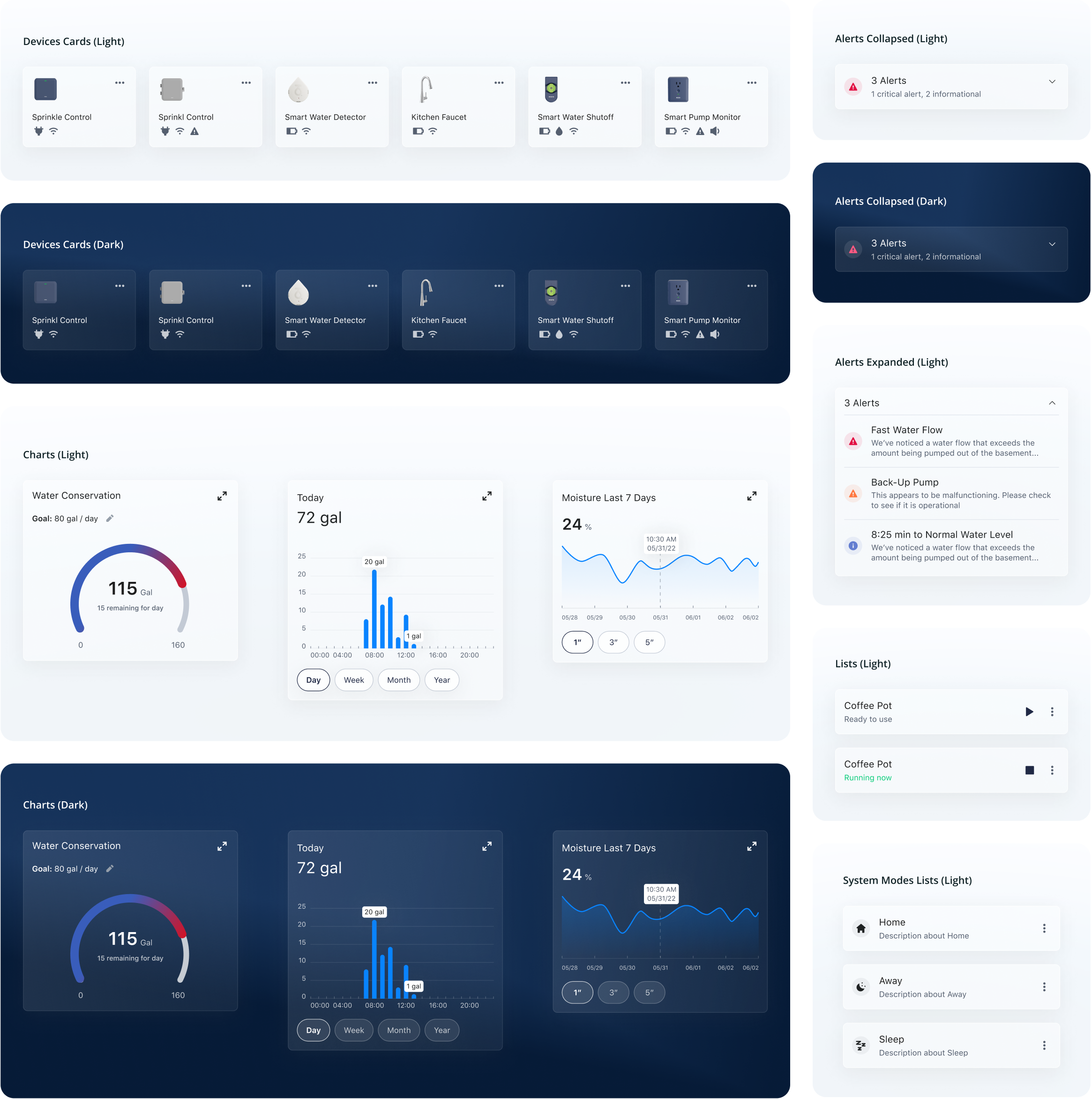
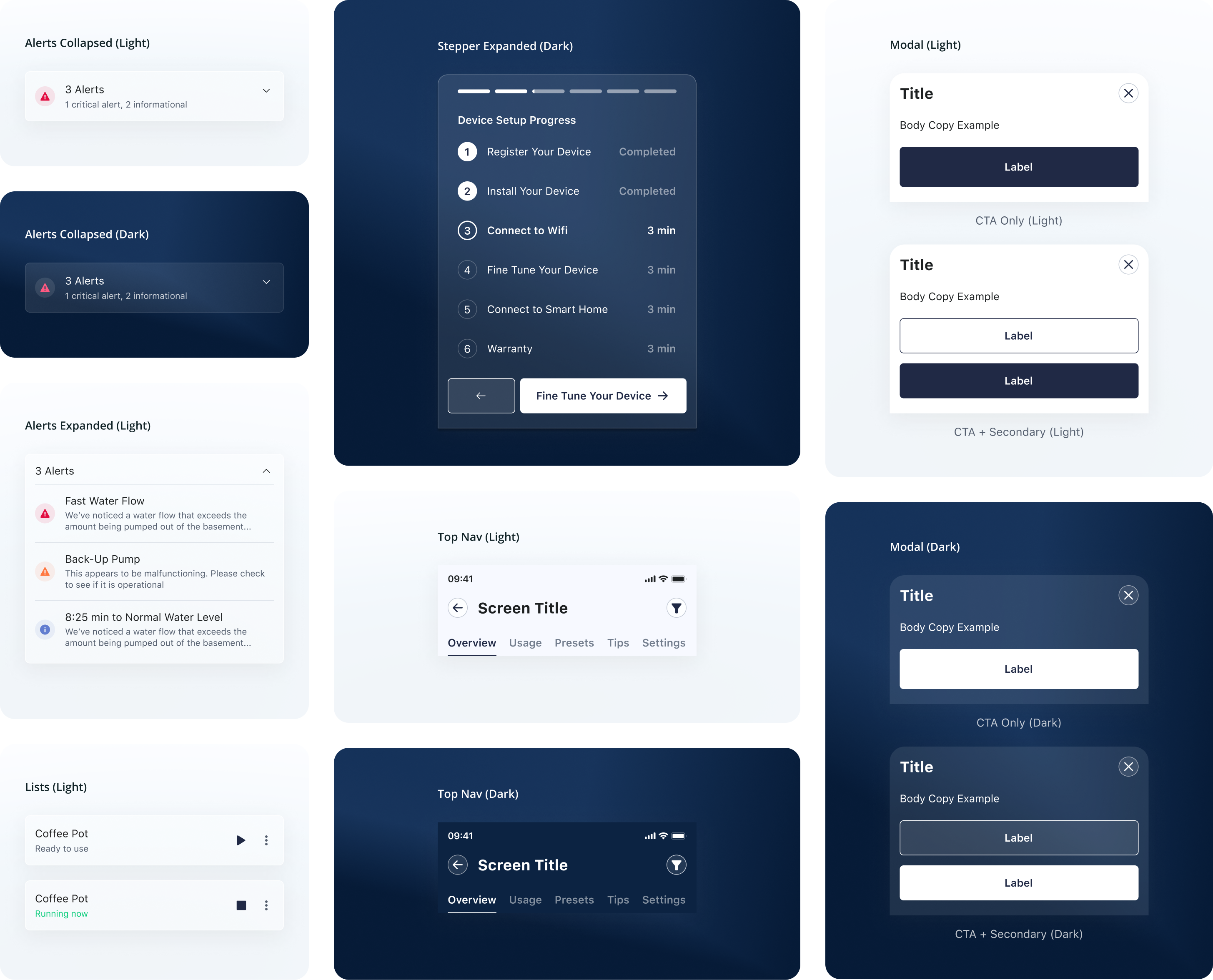
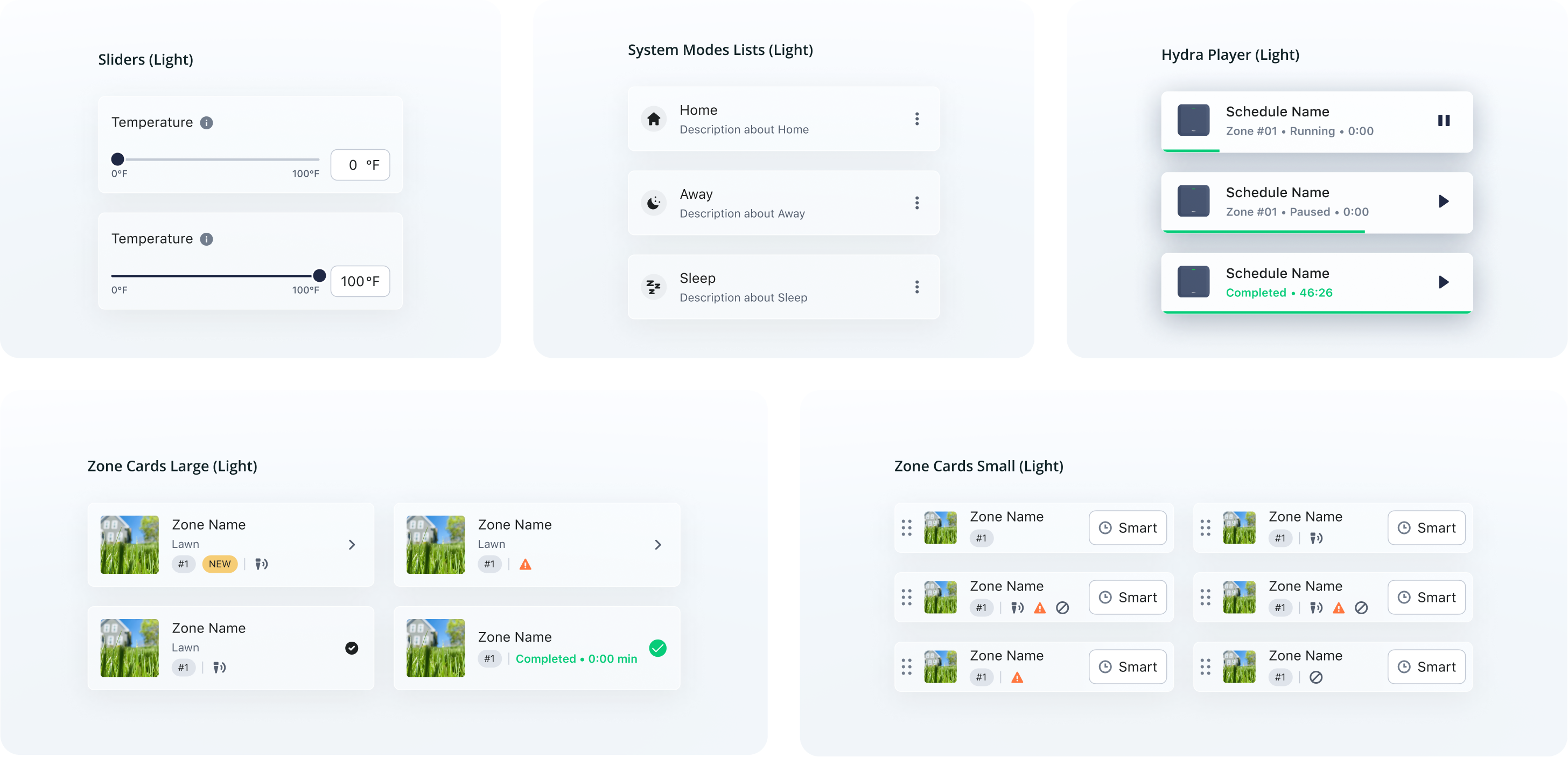
Light and Dark Modes
It was important to Moen to give their users the choice of different visual themes. For this, we delivered all designs in both a light and dark theme.
Documentation
Extensive documentation was delivered to maintain consistency in future designs and quickly onboard new designers and developers.
Developer Handoff
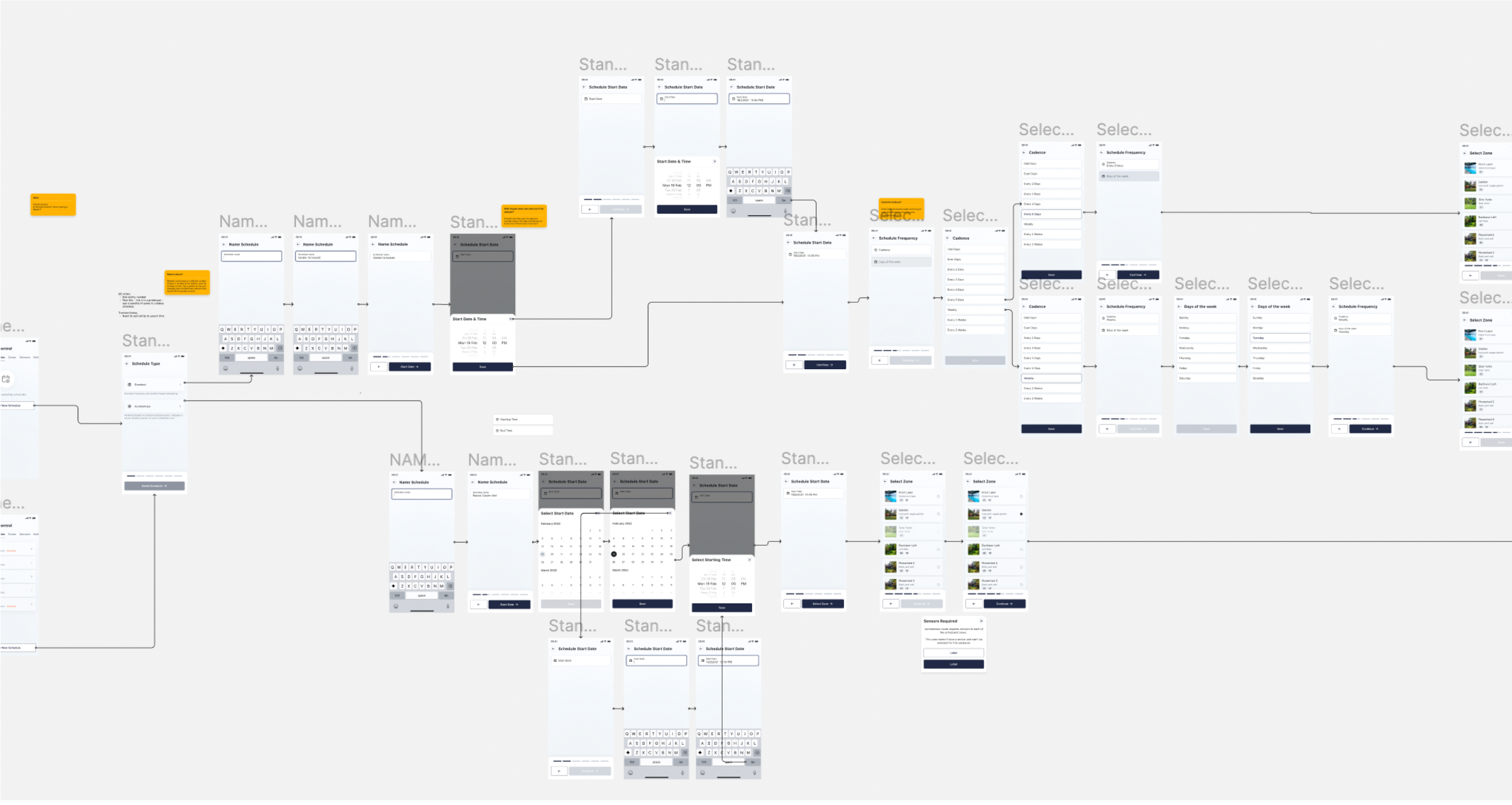
To make the implementation process as smooth as possible for the Moen engineering team we documented and annotated all relevant mockups and workflows, and created prototypes as needed.
We also created video walk throughs so that decisions could be reviewed by the developers without spending too much time in meetings.
“You're a UX Design agency that delivers like an in-house team”
Brian Colby
Principal UX Design, Moen
Usability Testing
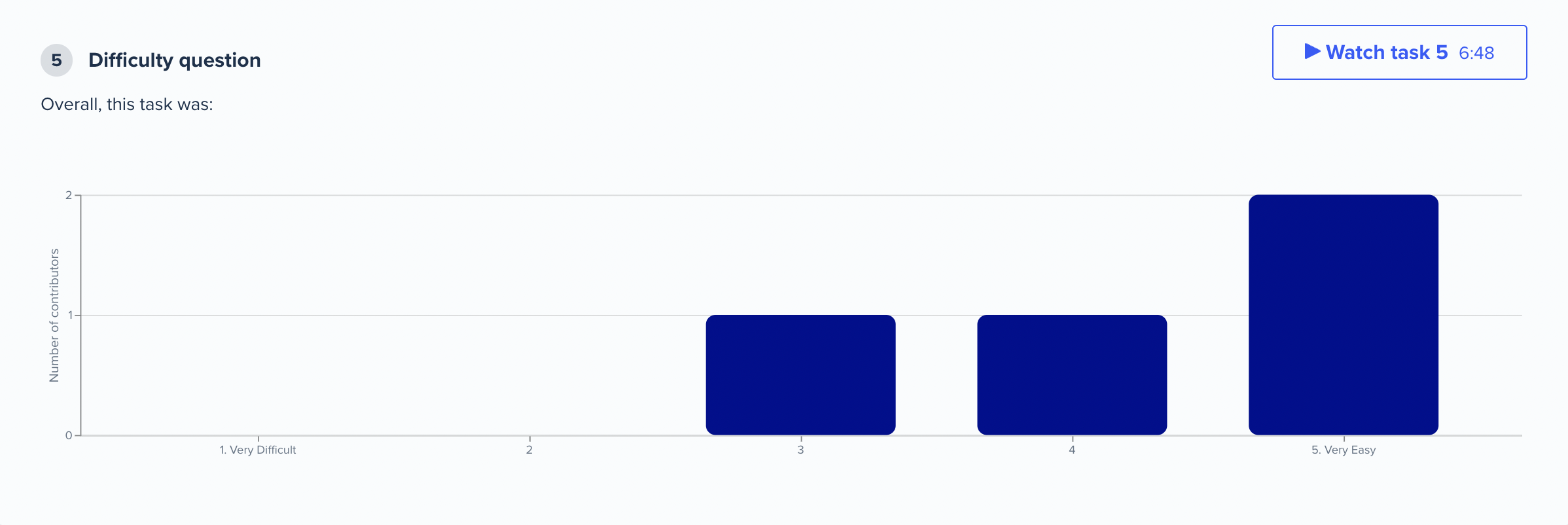
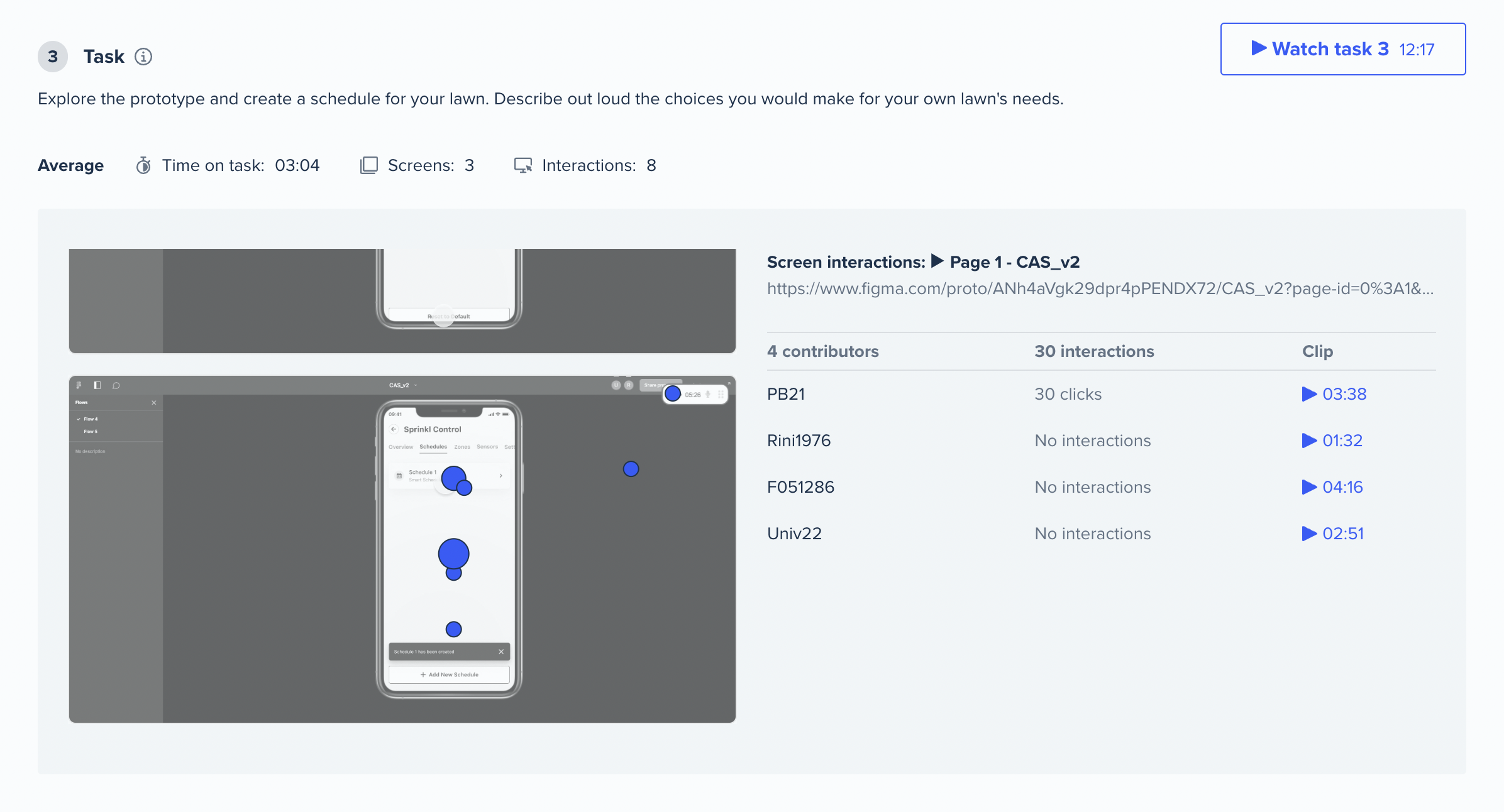
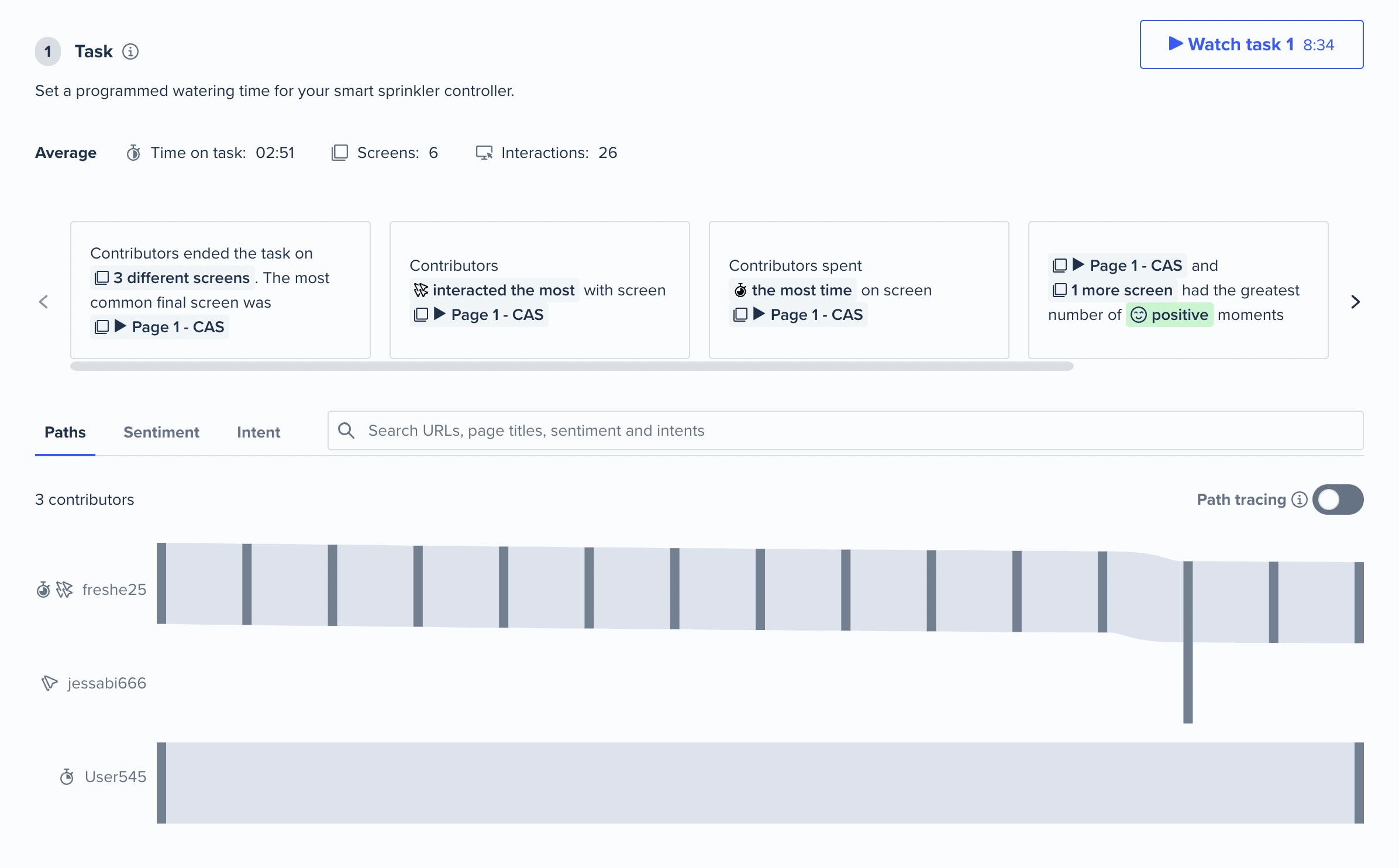
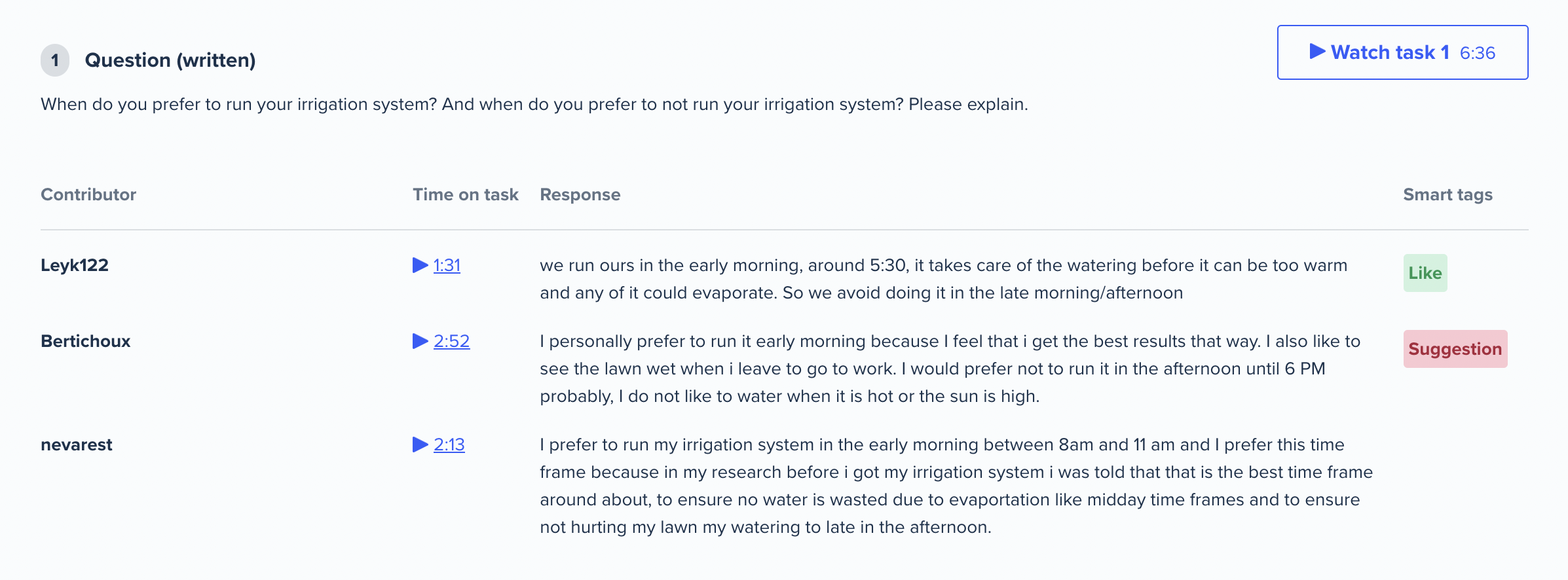
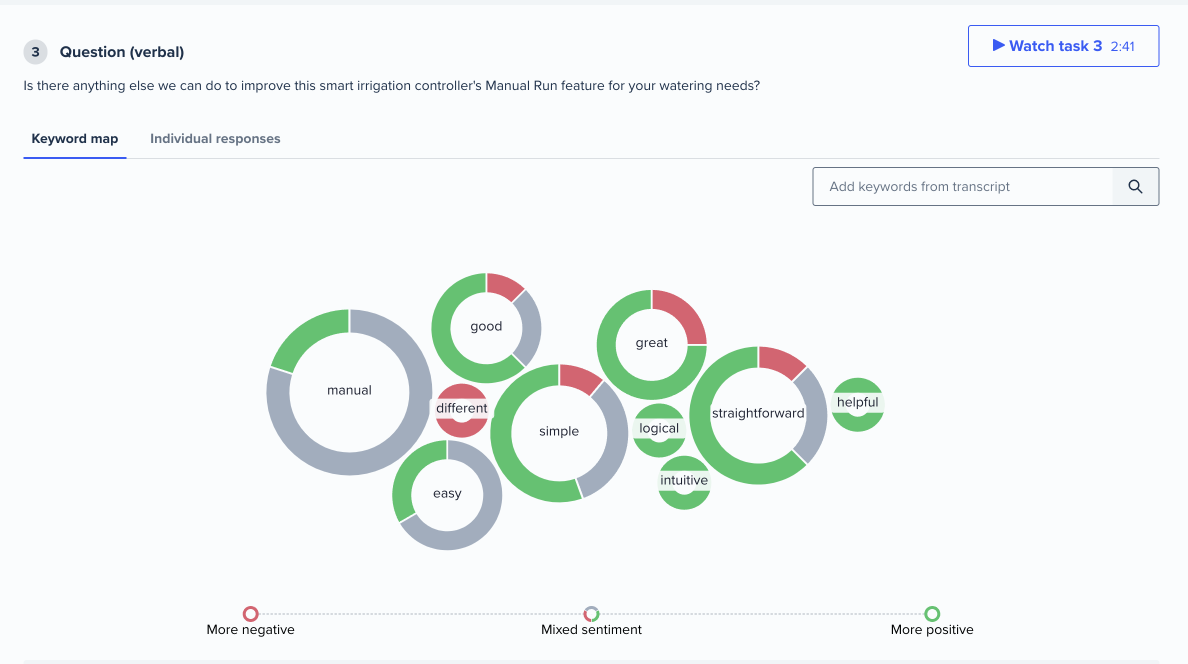
Usability tests helped us discover common mistakes and fixation points. They were also an opportunity for users to give us qualitative feedback. These often revealed unintuitive truths about specific flows and allowed us to update them accordingly.
Prototypes
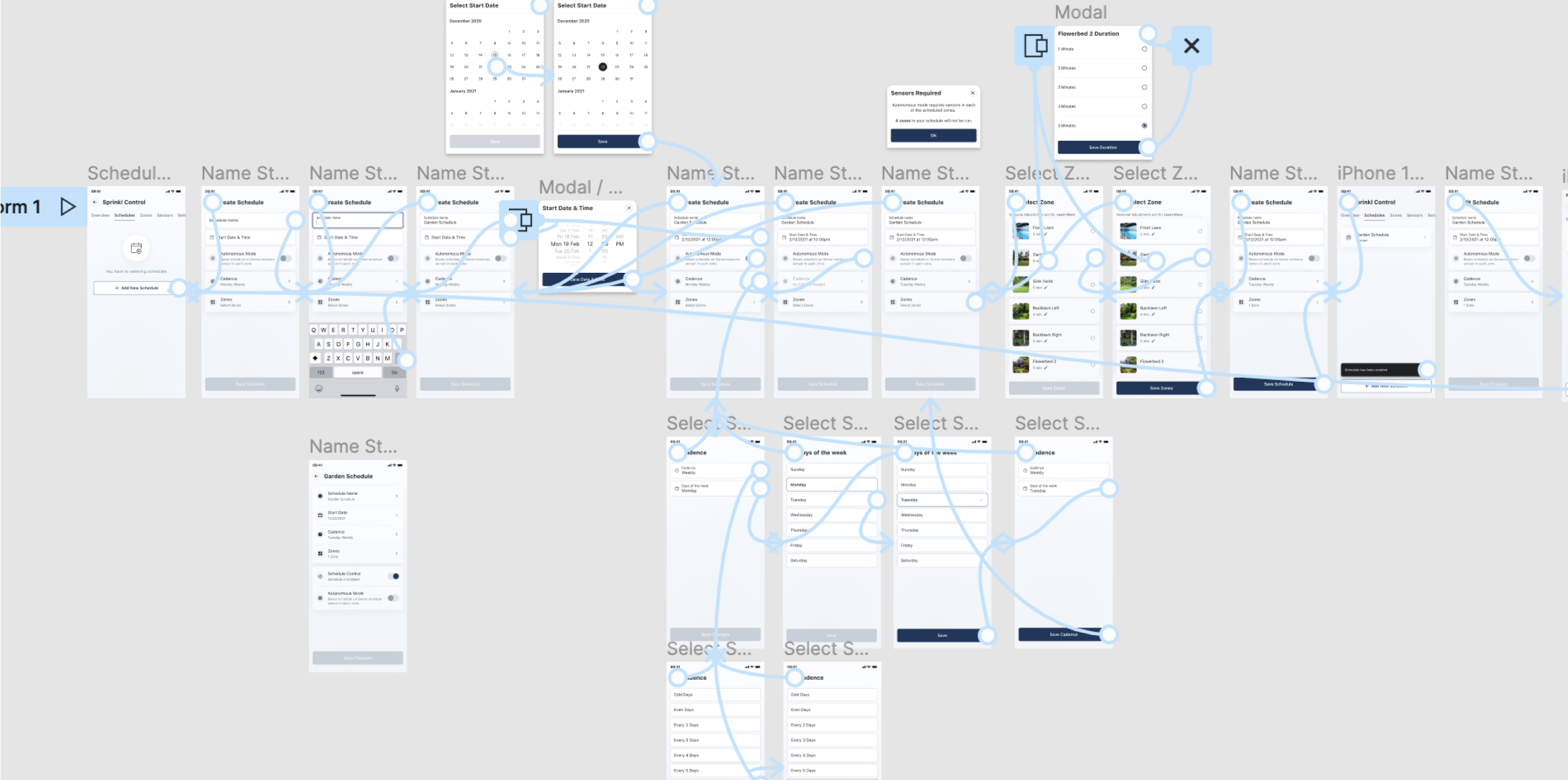
For especially complex workflows multiple prototypes were created to test out the feel and usability of each.
Usability Tests
Usability tests helped us discover common mistakes and fixation points. They were also an opportunity for users to give us qualitative feedback. These often revealed unintuitive truths about specific flows and allowed us to update them accordingly.
Animation
Animations were used as a vehicle to express the Moen brand and educate users on complex topics.
Animation System
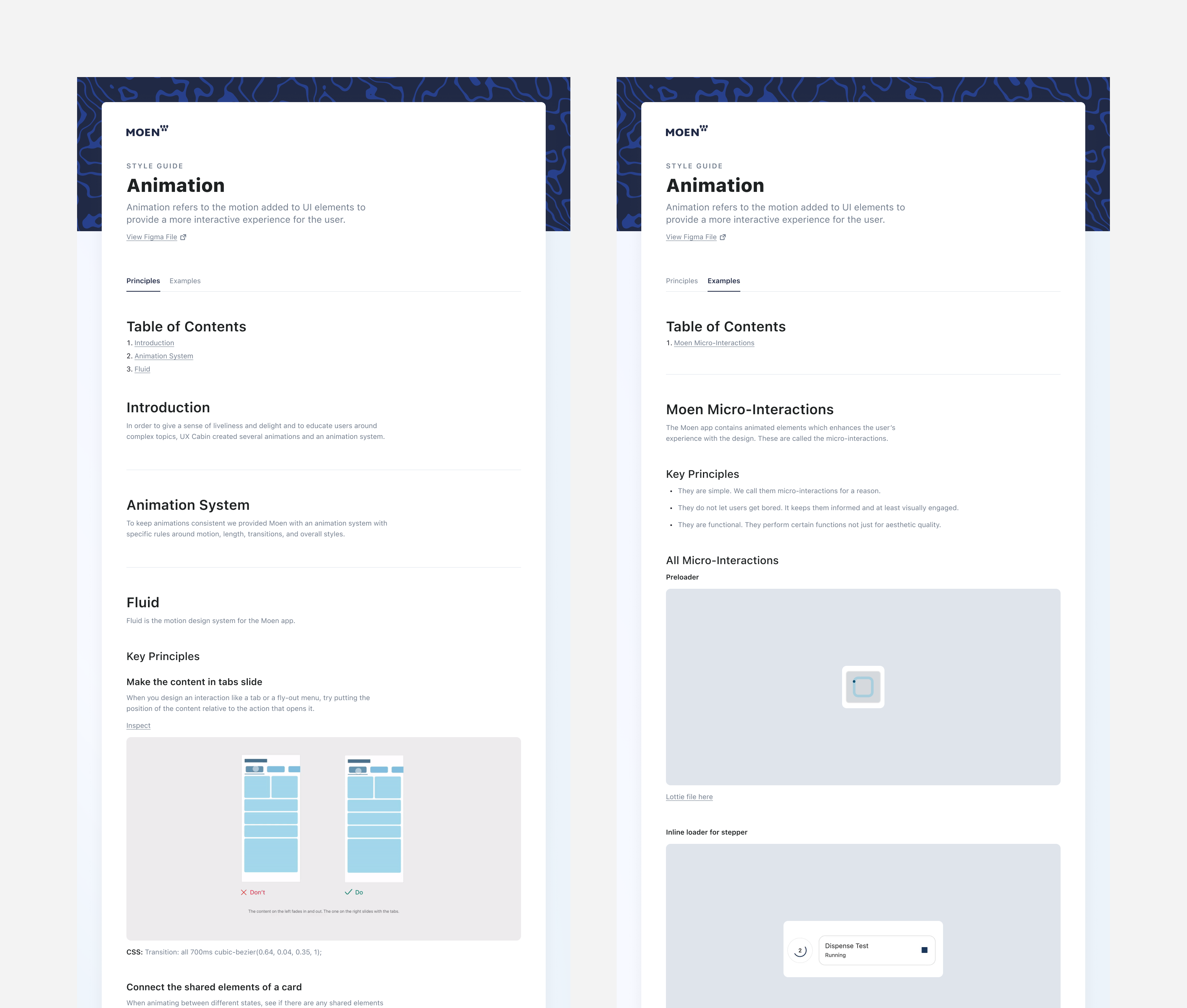
To keep animations consistent we created an animation design system that detailed specific rules around motion, duration, transitions, and styles.
Animations
UX Cabin created two types of animations: Micro-interactions — subtle transitions and loading states to make the app feel more fluid and polished. Educational GIFs — illustrations showing how to use or troubleshoot various Moen devices that requires motion.