Case Study
Qi Tissue Cancer Analysis Platform
UX Cabin helped enhance Qi Tissue, a tool that supports doctors in analyzing cancer images and creating personalized treatments.
💻 Redesigned Data Heavy UI
Redesigned a modern interface to organize and display large data and images clearly, enhancing navigation and user engagement.
🍱 Scalable Design System
Developed a scalable design system with standardized components, styles, and guidelines for rapid development and easy maintenance as Qi Tissue evolves.
🤝 Developer Handoff
Completed a detailed developer handoff with annotated designs, interactive prototypes, and specifications to ensure seamless implementation of UI elements and workflows.
Overview
Qi Tissue is a powerful app by Qi Biotech, created by President and CEO Michel Nederlof. It provides 3D visualizations of cancer cell tissue, helping researchers and doctors examine tissues and identify malignant areas for more personalized treatment plans.
Background
Qi Biotech sought UX Cabin’s help to improve the user experience of Qi Tissue. The app needed better usability and visual appeal. The goal was to create a tool that allows practitioners to compare patient tissues with a large database for personalized treatment options.
“UX Cabin’s expertise in redesigning our platform has transformed Qi Tissue into an intuitive tool that empowers researchers to analyze complex tissue data effectively.”

Michel Nederlof
CEO, Qi Biotech
Goals & Objectives
UX Cabin collaborated with the Qi Tissue team to identify problems and key requirements, creating wireframes and high-fidelity mockups that emphasized a clean, modern design. This iterative process resulted in a more effective and user-friendly app before handing off to developers.
- Create a user-friendly interface for displaying large rich data sets
- Improve navigation and accessibility in the app
- Enable quick access to patient data and efficient data handling
- Strengthen the app’s overall modern visual appeal and brand presence
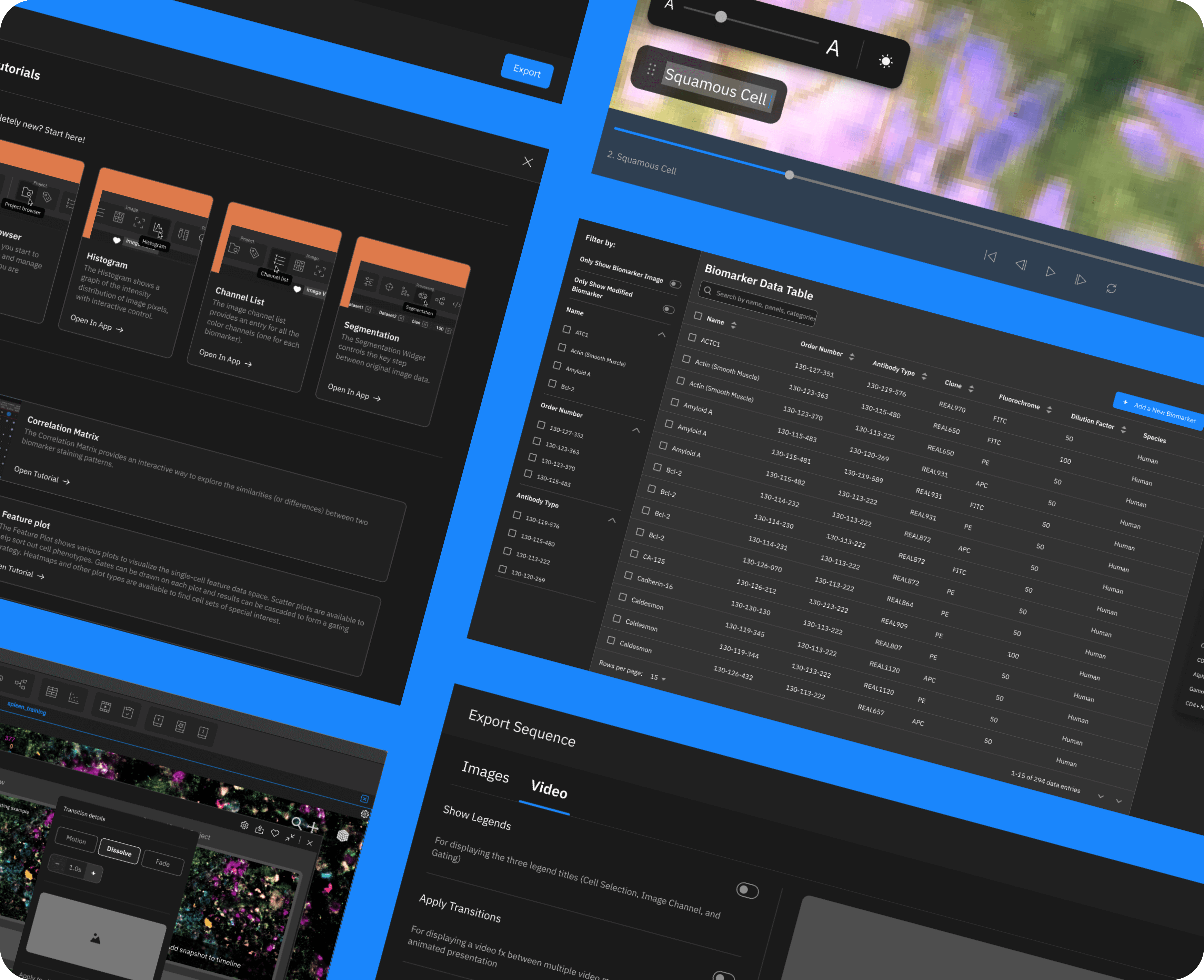
Redesigned Data Heavy UI
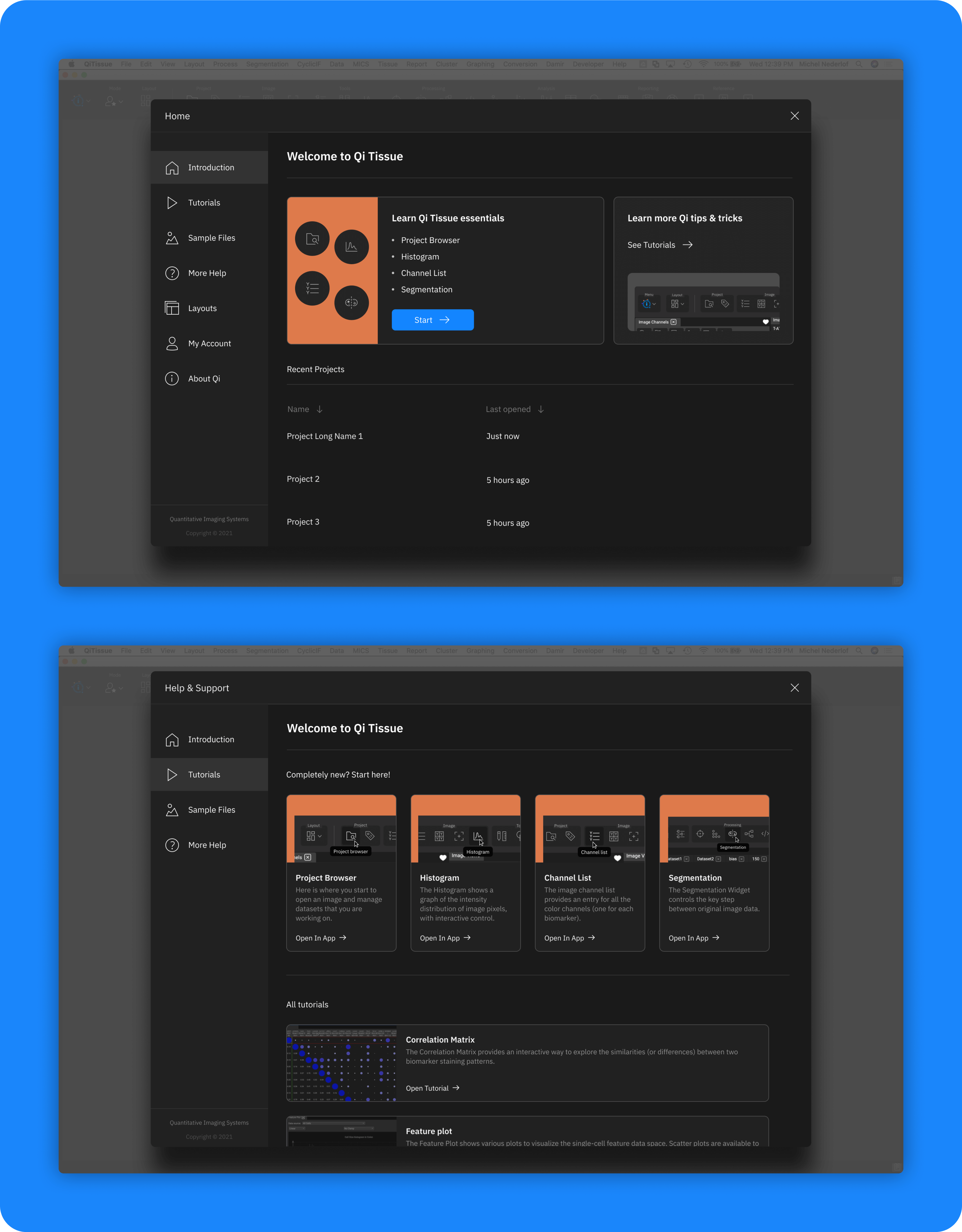
Onboarding
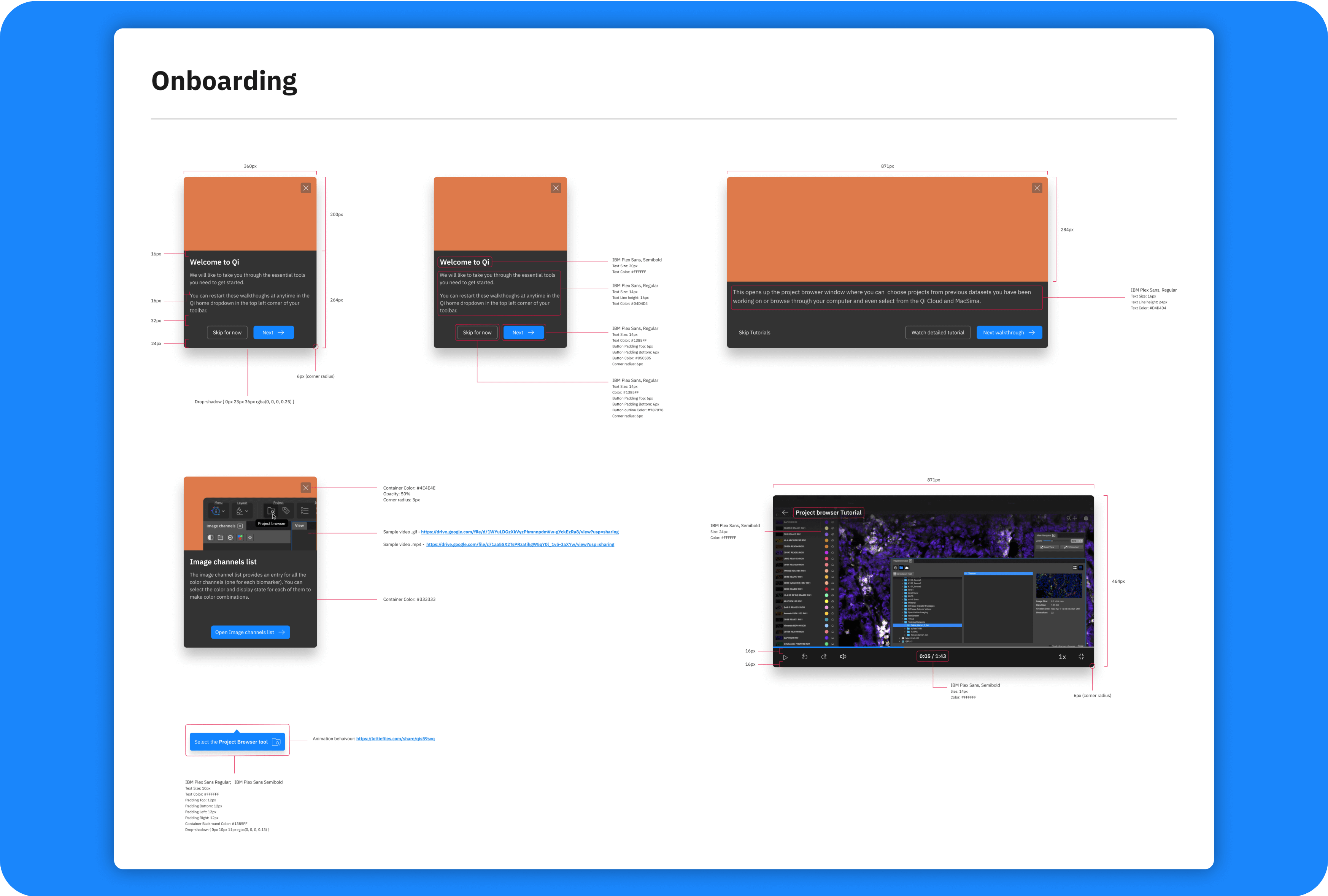
The onboarding process guides new users through the software’s features, ensuring a smooth introduction and reducing the learning curve for effective use.
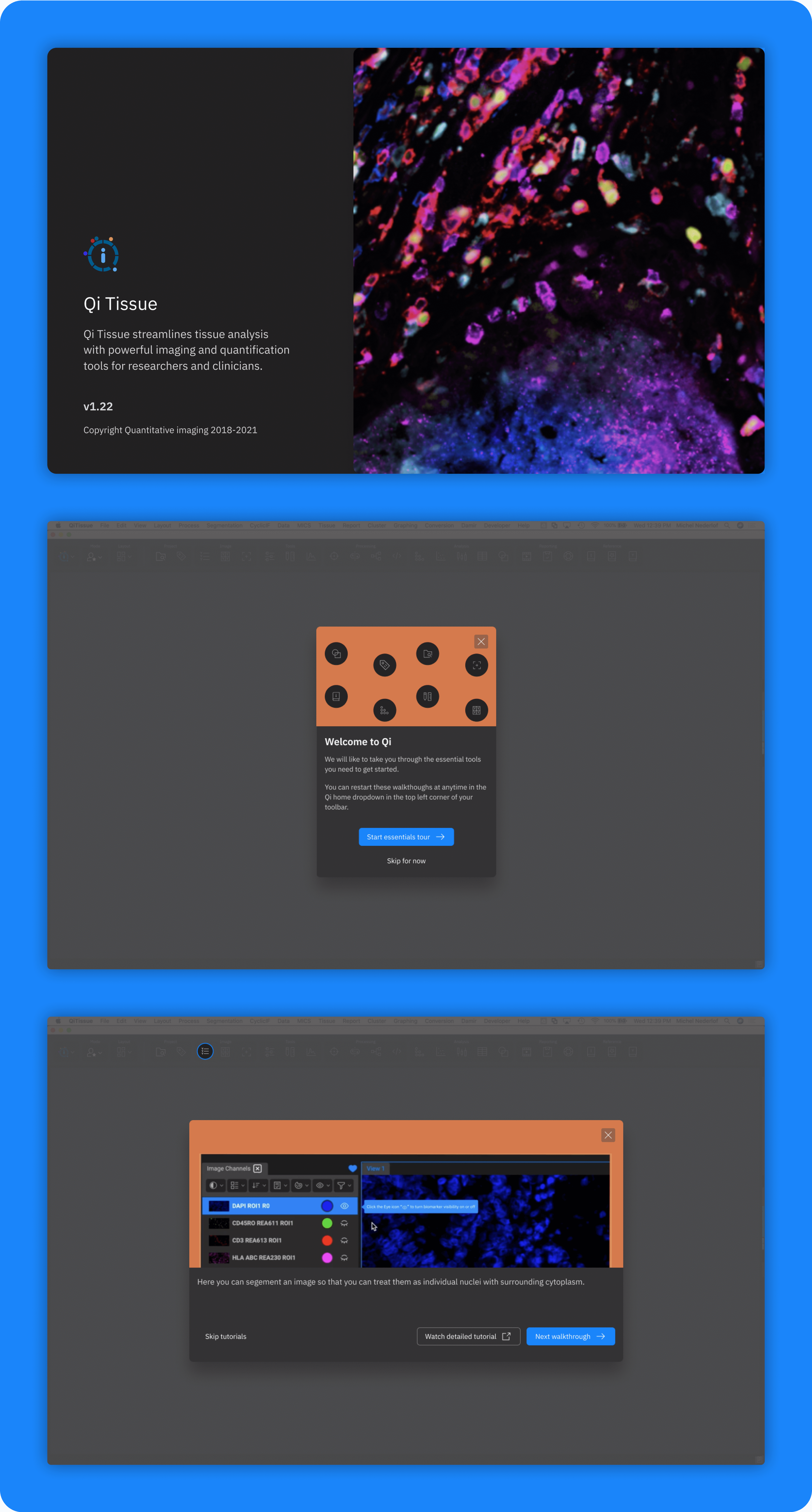
Help & Support Video Tutorial
We developed an engaging video tutorial to assist users in navigating the platform, showcasing key functionalities and providing step-by-step guidance for troubleshooting and maximizing software use.
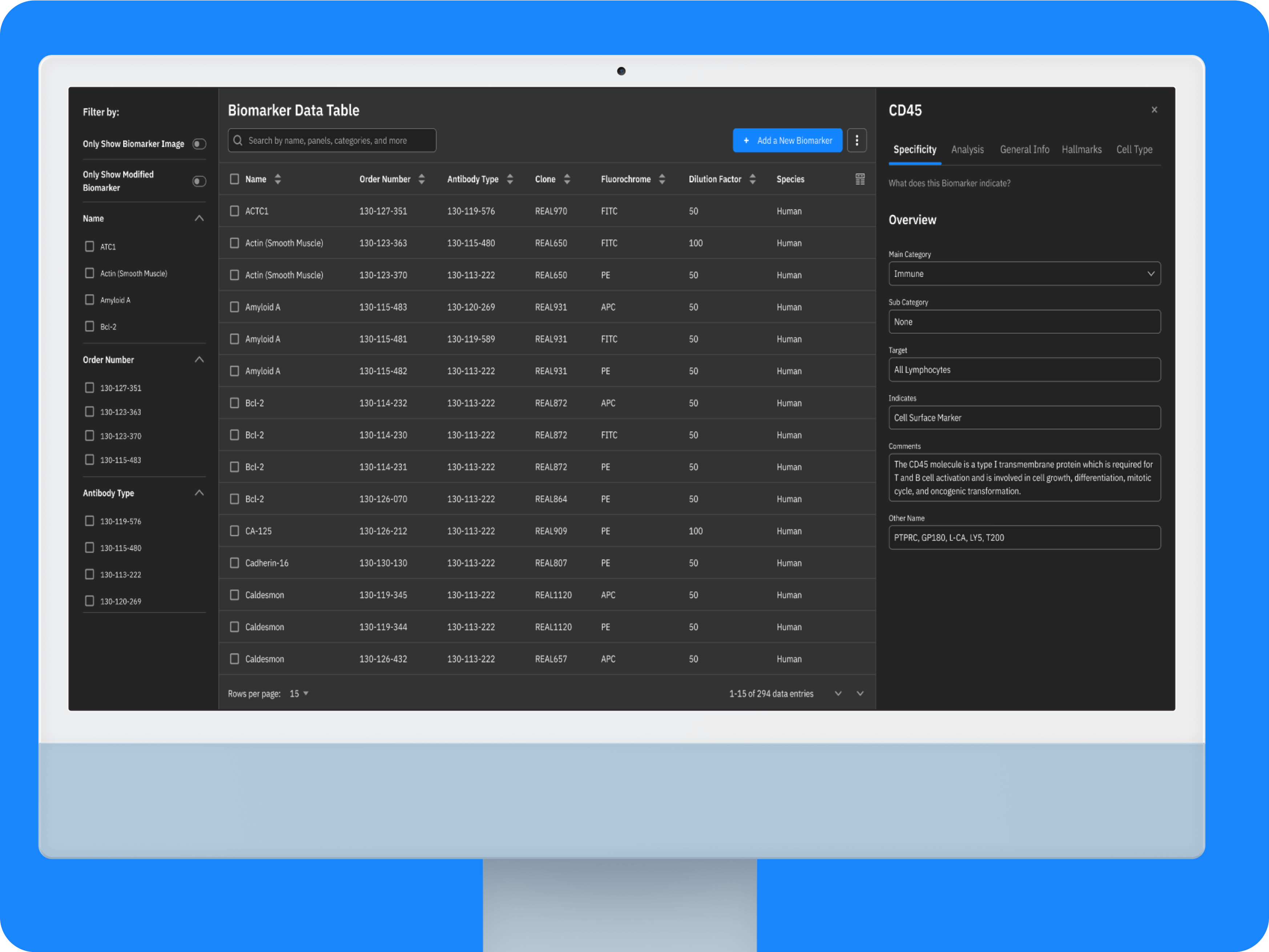
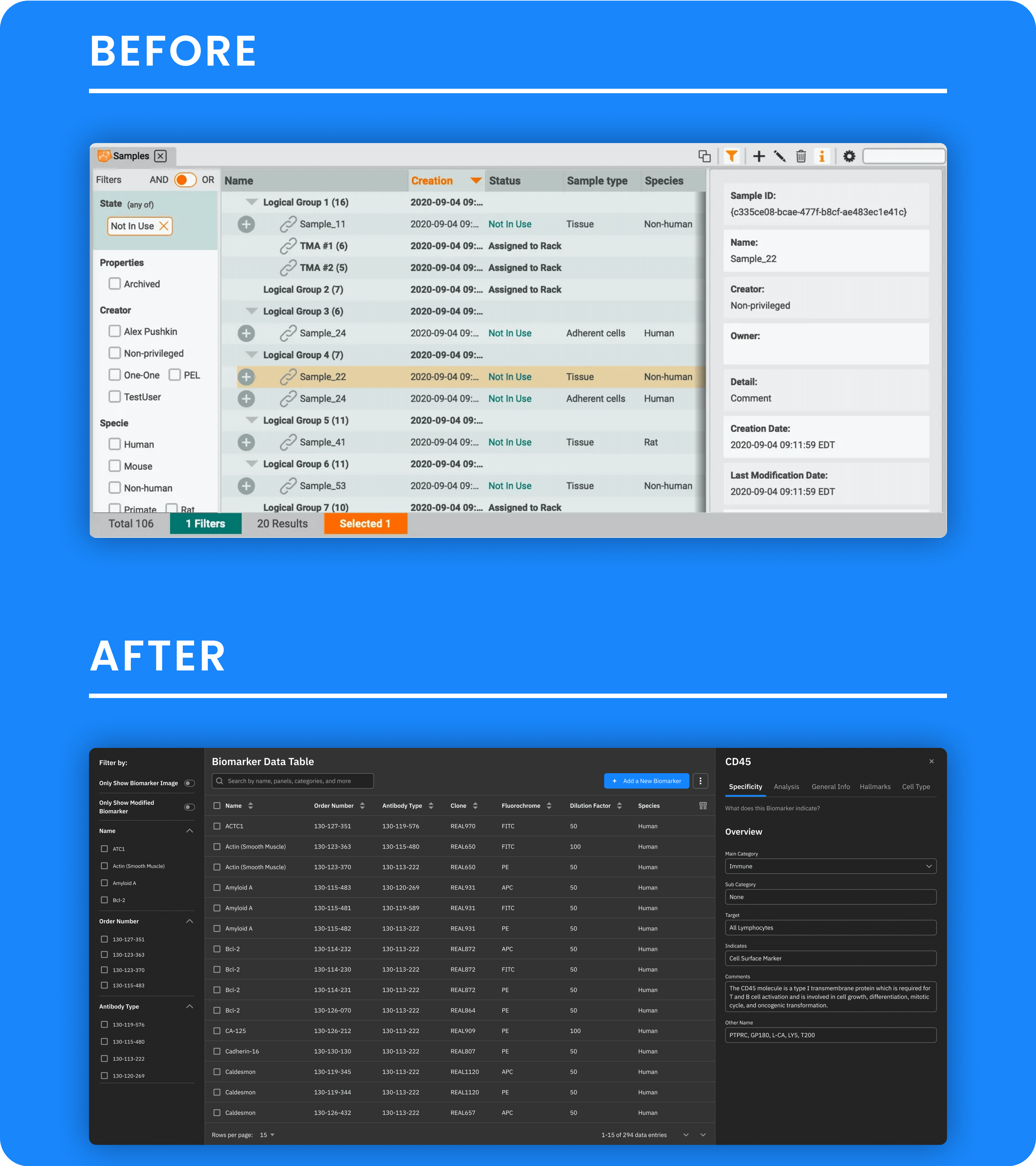
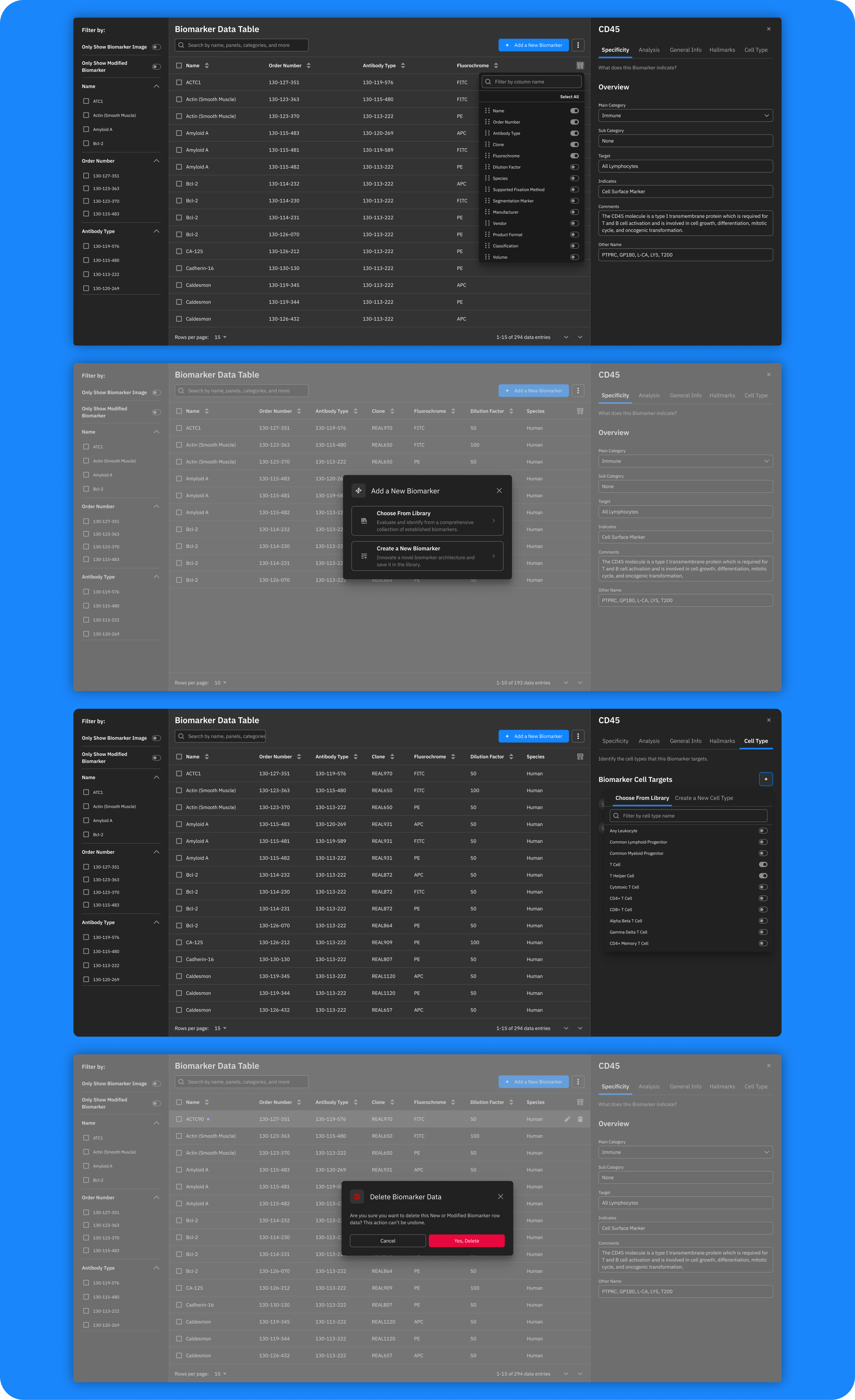
Biomarker Data Table
We redesigned the Biomarker Data Table to organize and display critical biomarker data, including identification, sample information, quantitative measurements, and statistical analyses, which facilitated a systematic approach to managing biological insights and clinical outcomes.
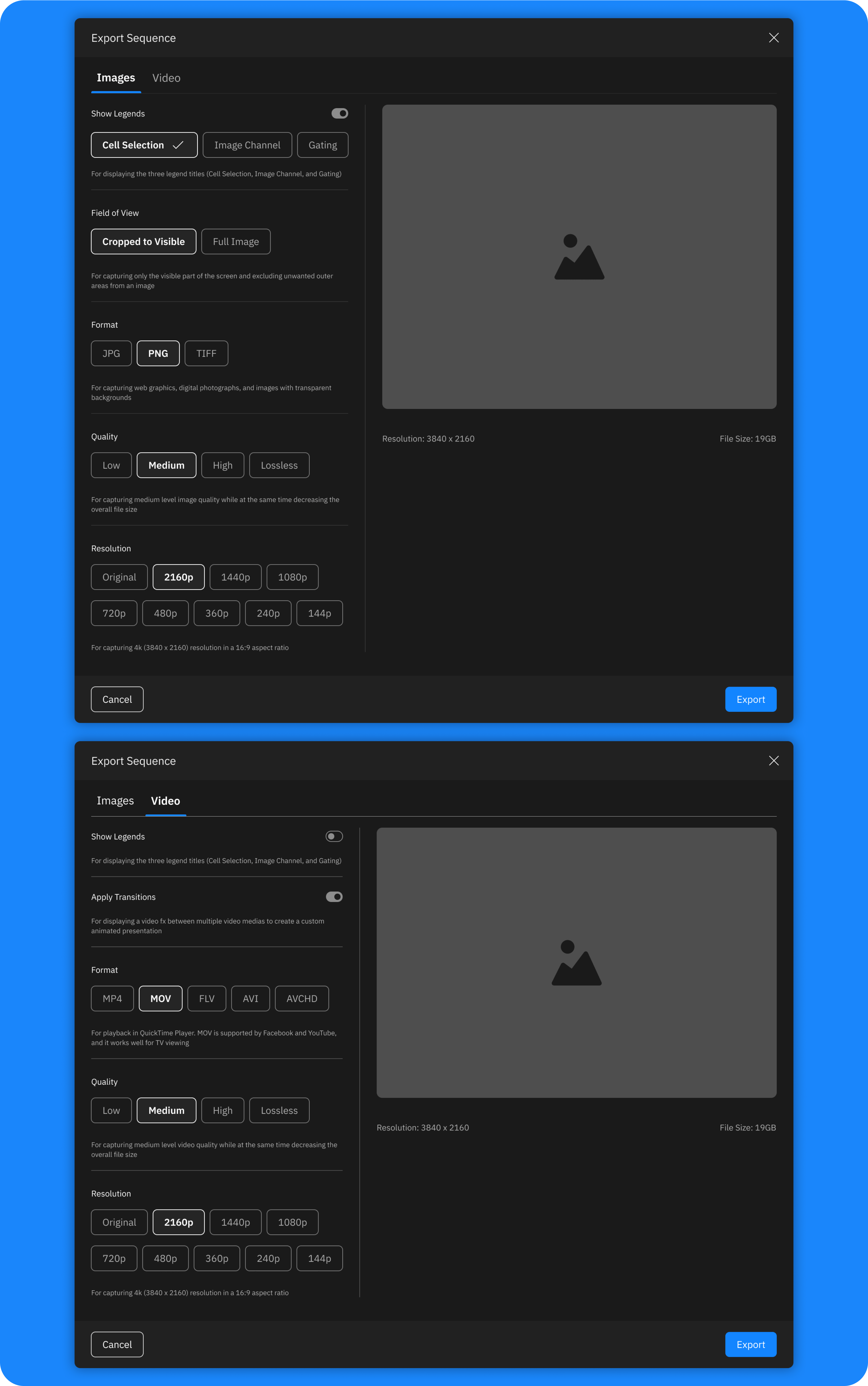
Export Sequencer Media Settings
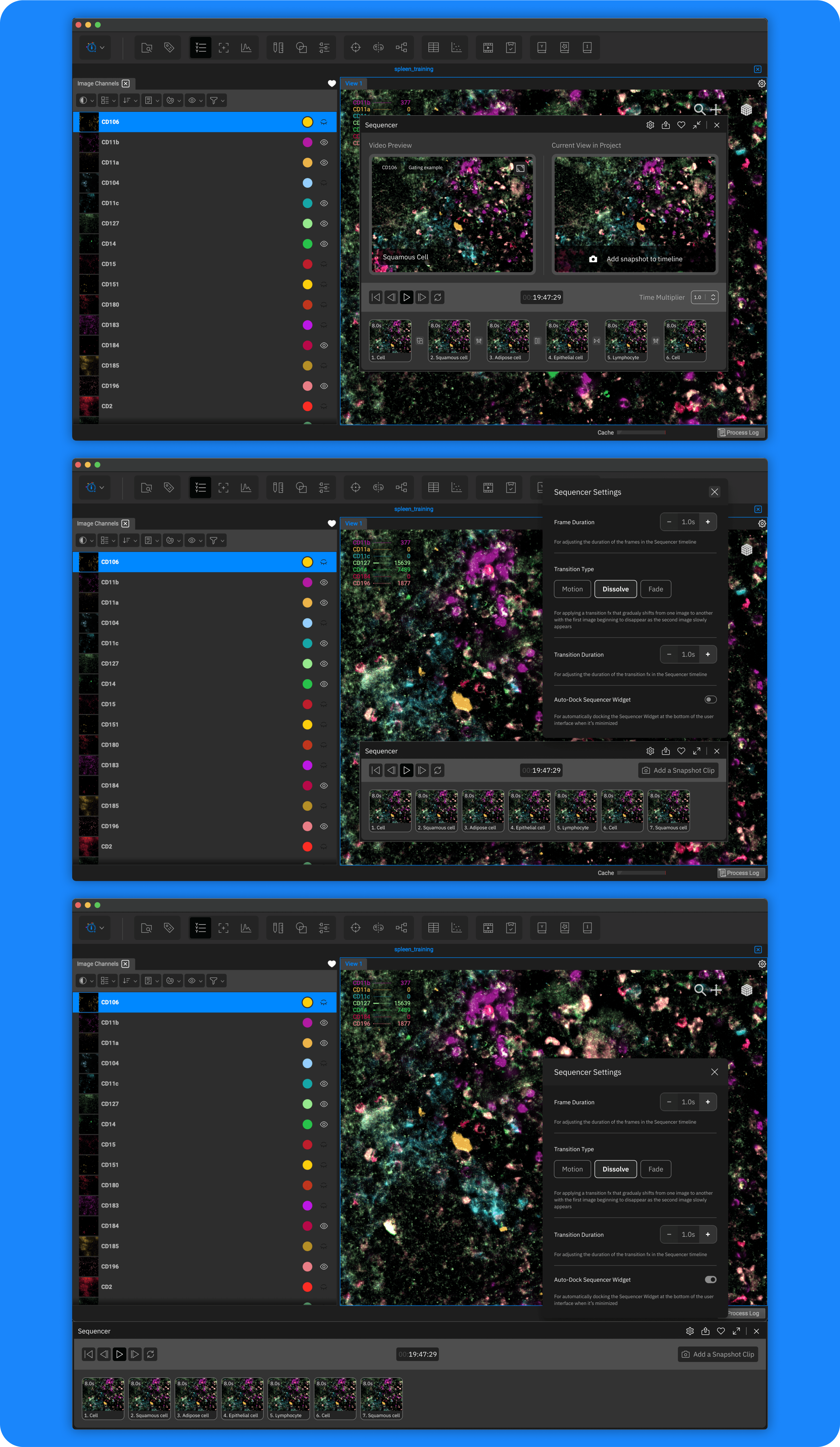
To streamline sharing and documentation, we added export settings for images and videos generated by the Sequencer Widget, enabling users to save and share their findings with ease.
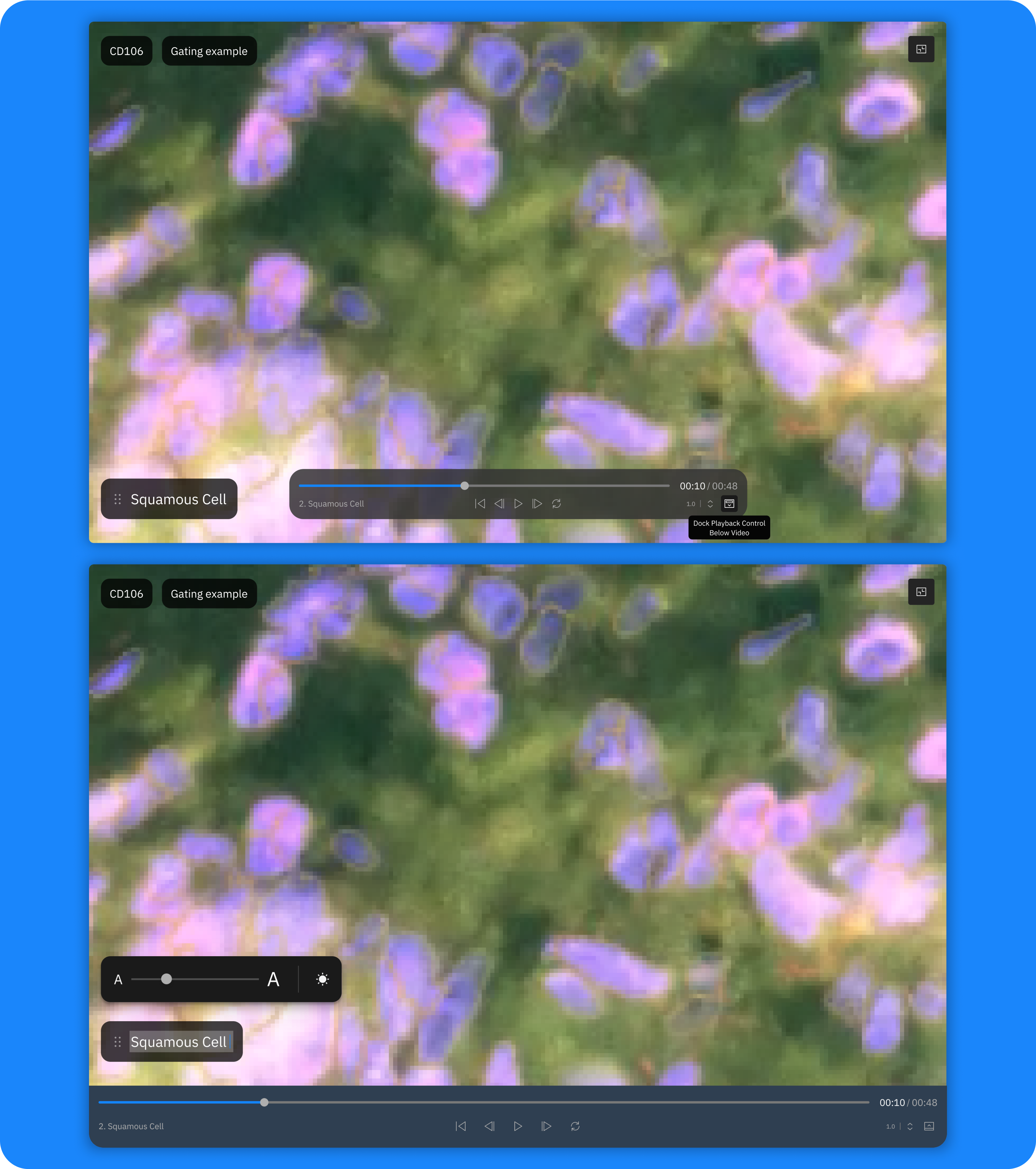
Sequencer Widget
The sequencer widget enhances data visualization, enabling users to interact with sequencing data through keyframes, 3D views, smooth transitions, and layered color perspectives.
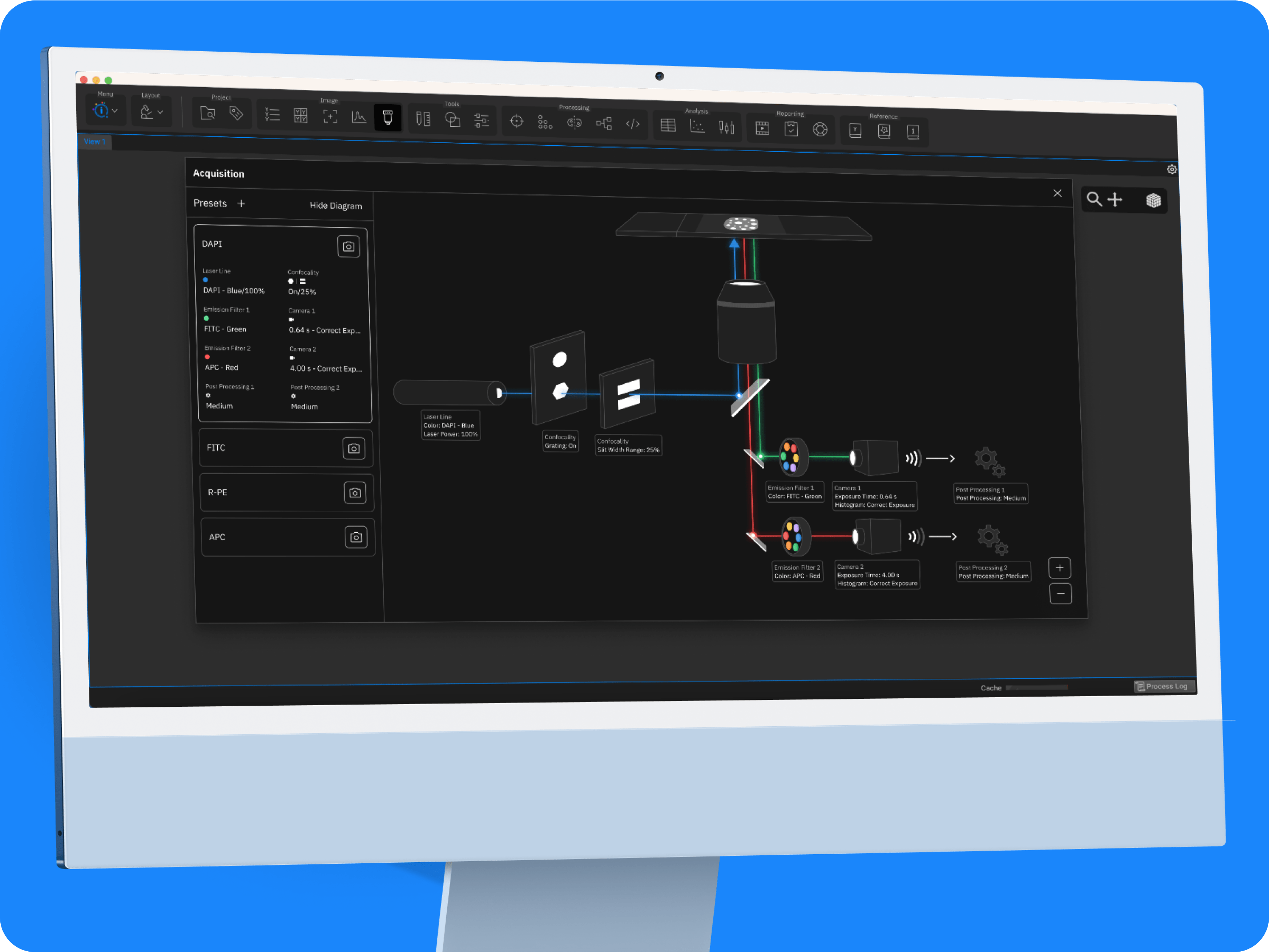
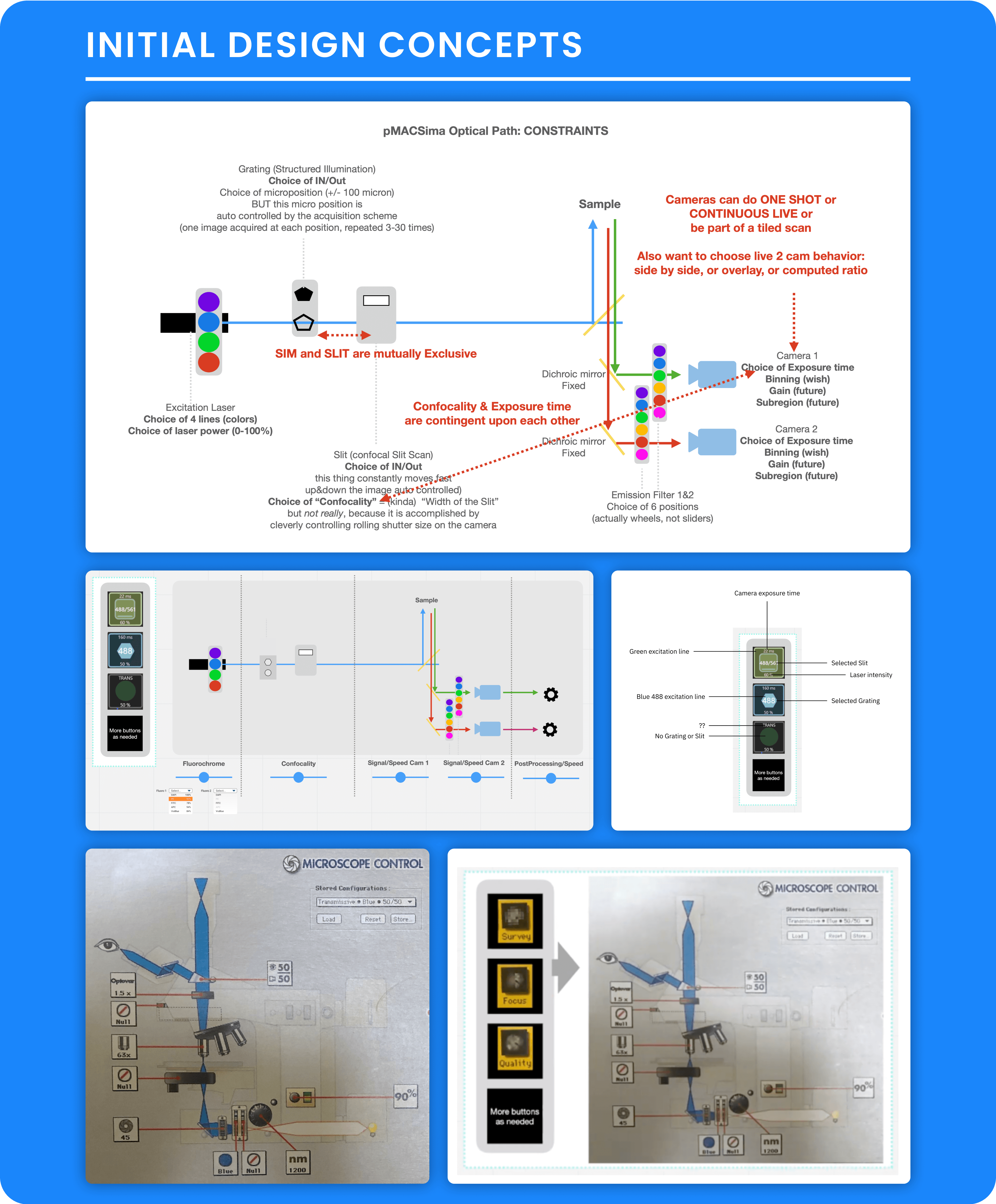
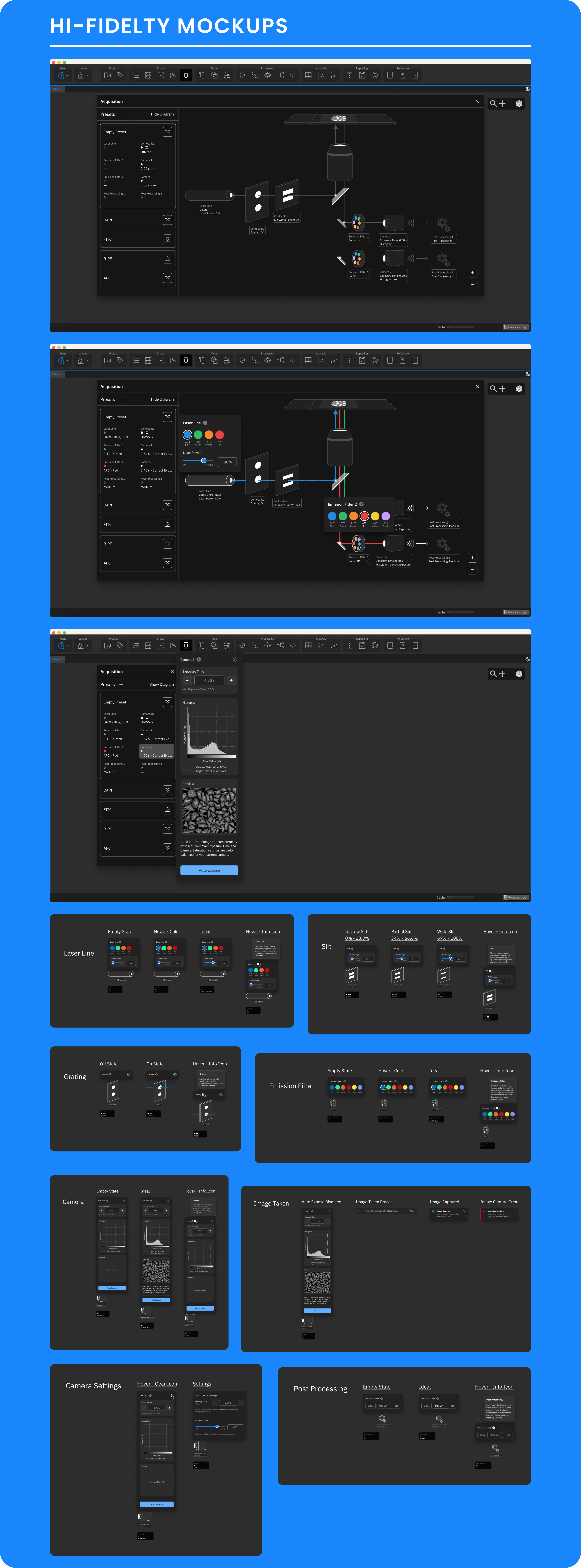
Personal MACSima Control Window
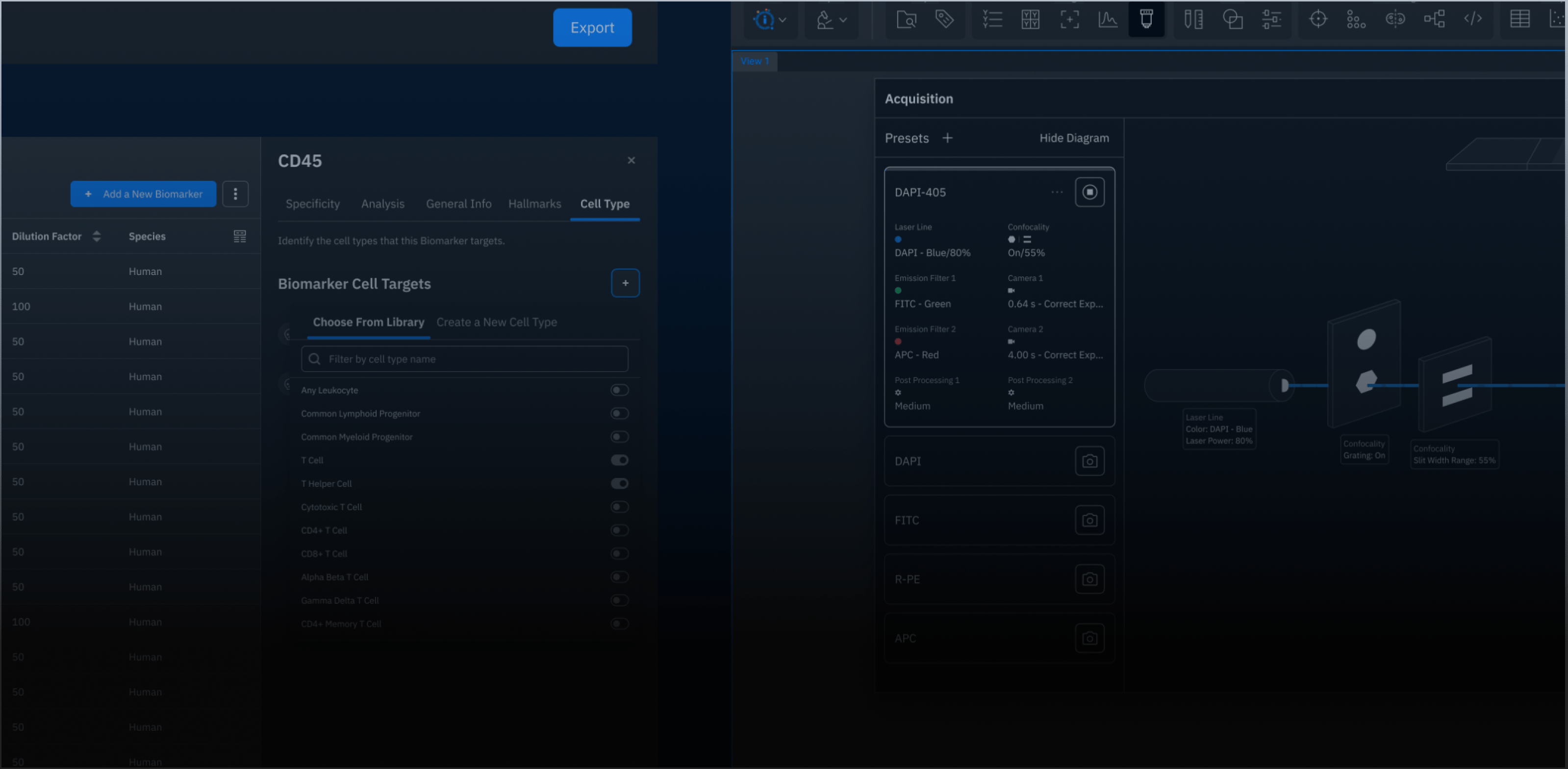
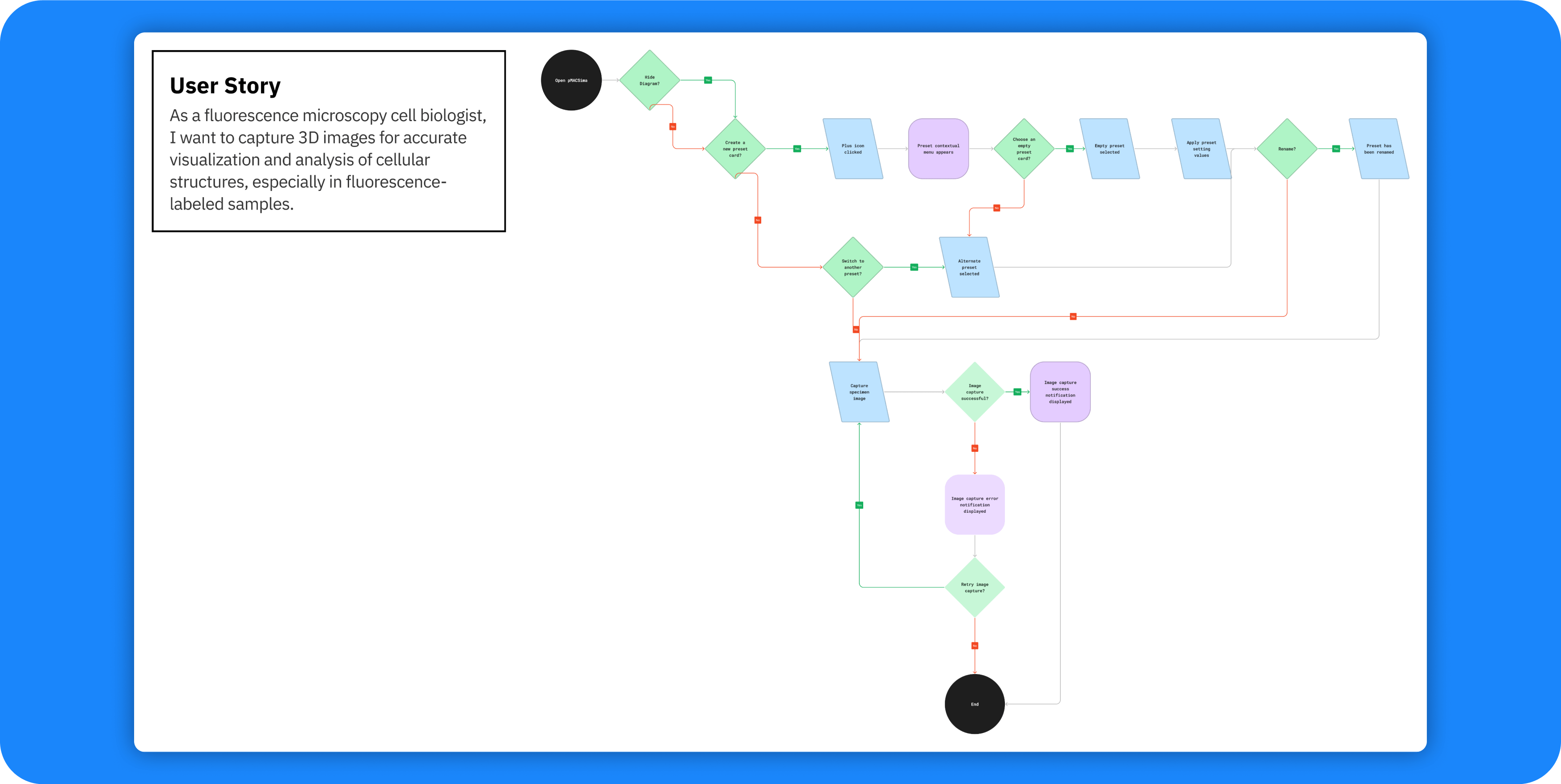
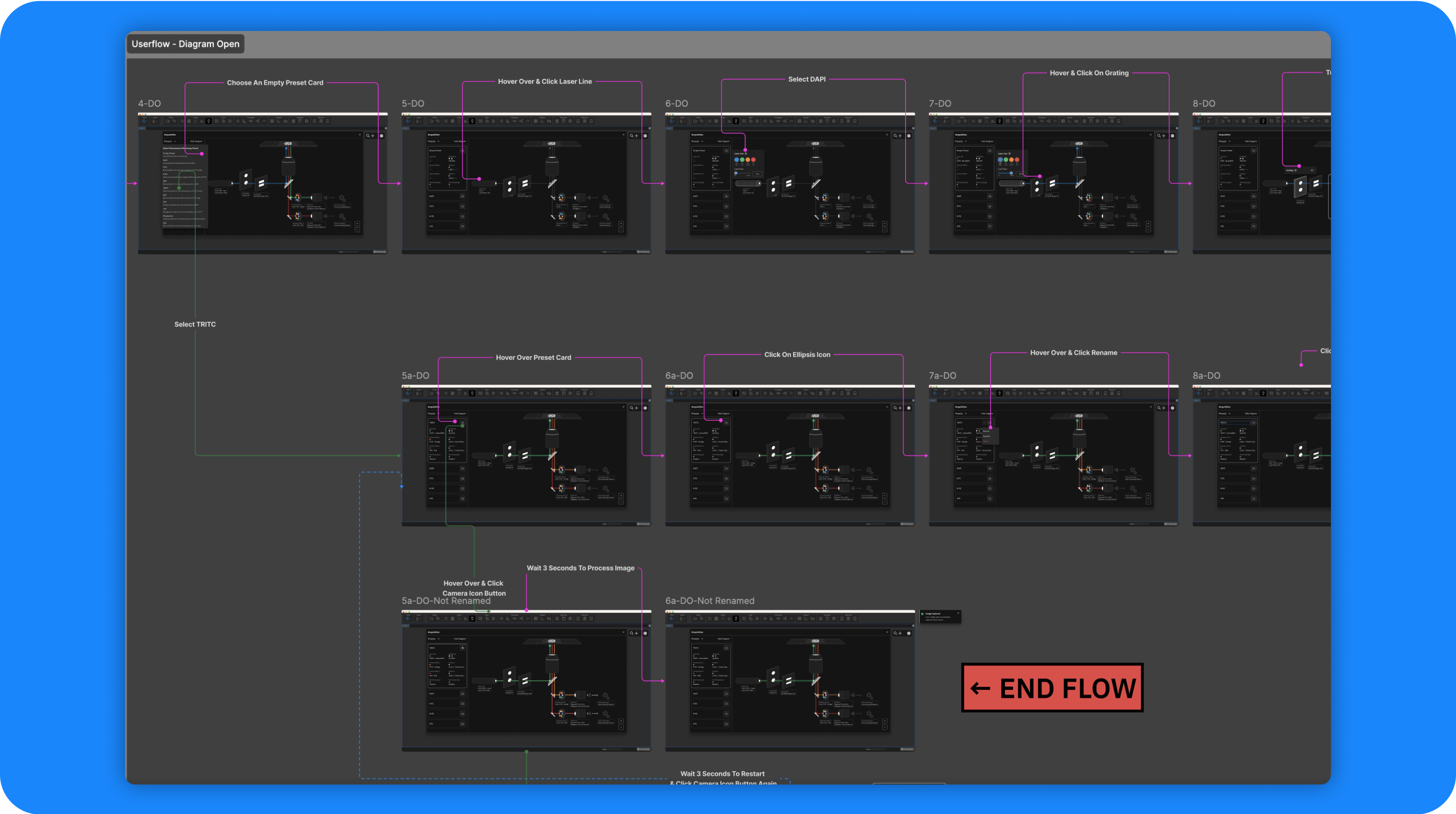
Our team reimagined the Personal MACSima Control Window to make 3D imaging, live-cell capture, and multi-dye scanning more intuitive and efficient for lab biologists.
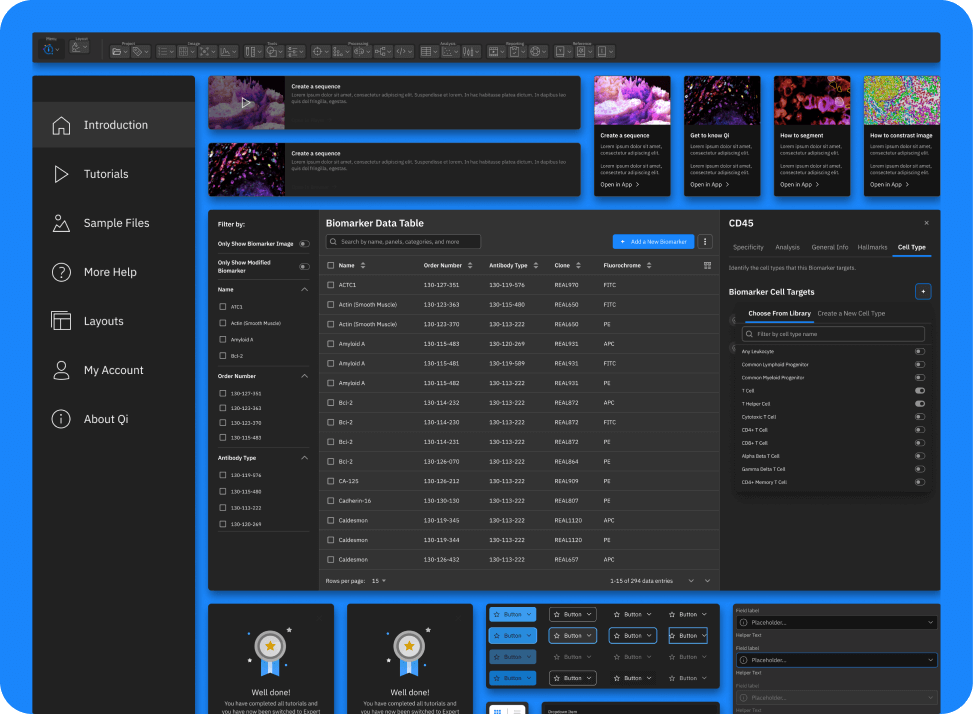
Scalable Design System
To maintain consistency and scalability across the Qi Tissue platform, we built a comprehensive design system. This included standardized components, color schemes, typography, and interactive elements to ensure a cohesive experience and streamline future development.
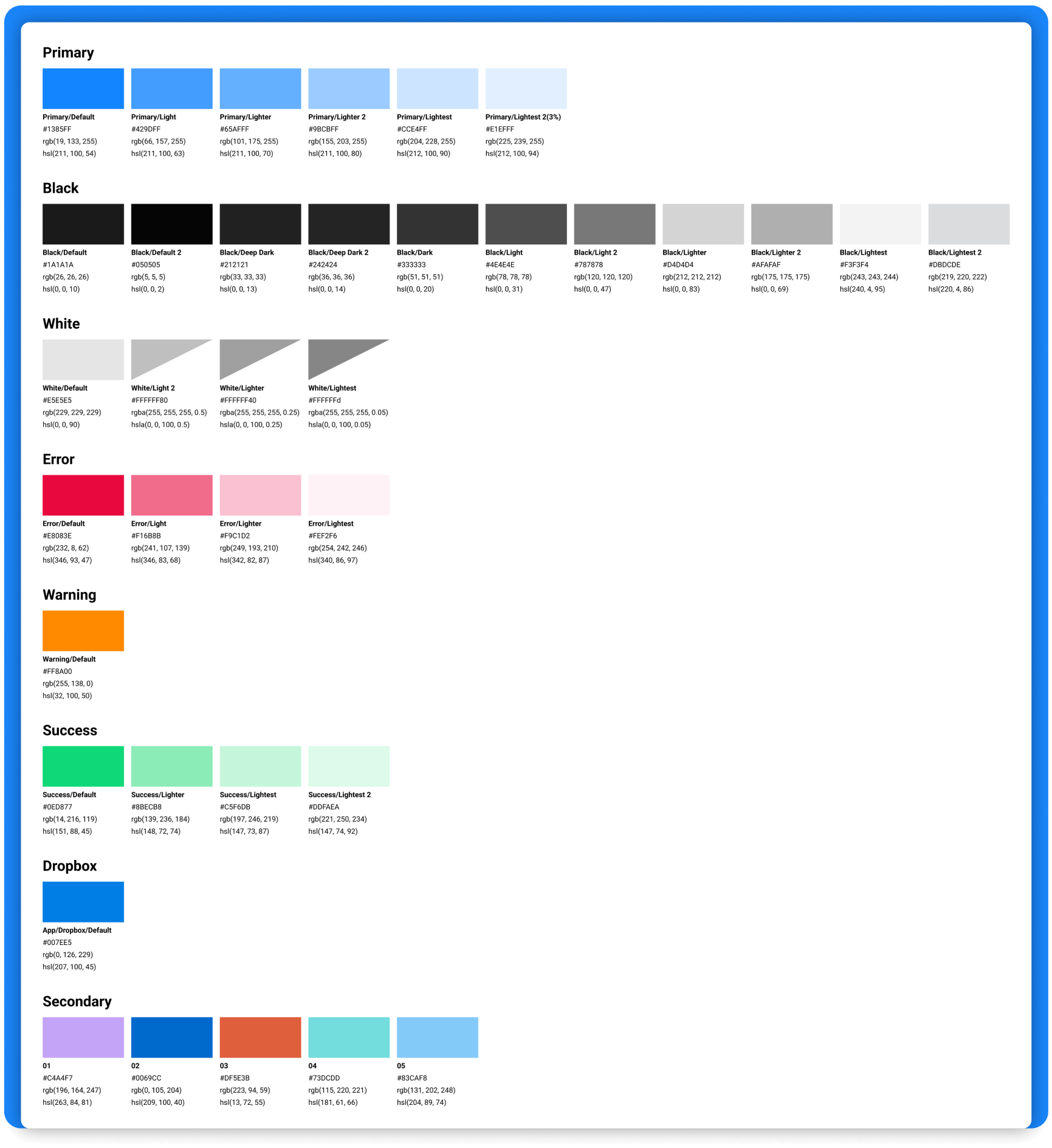
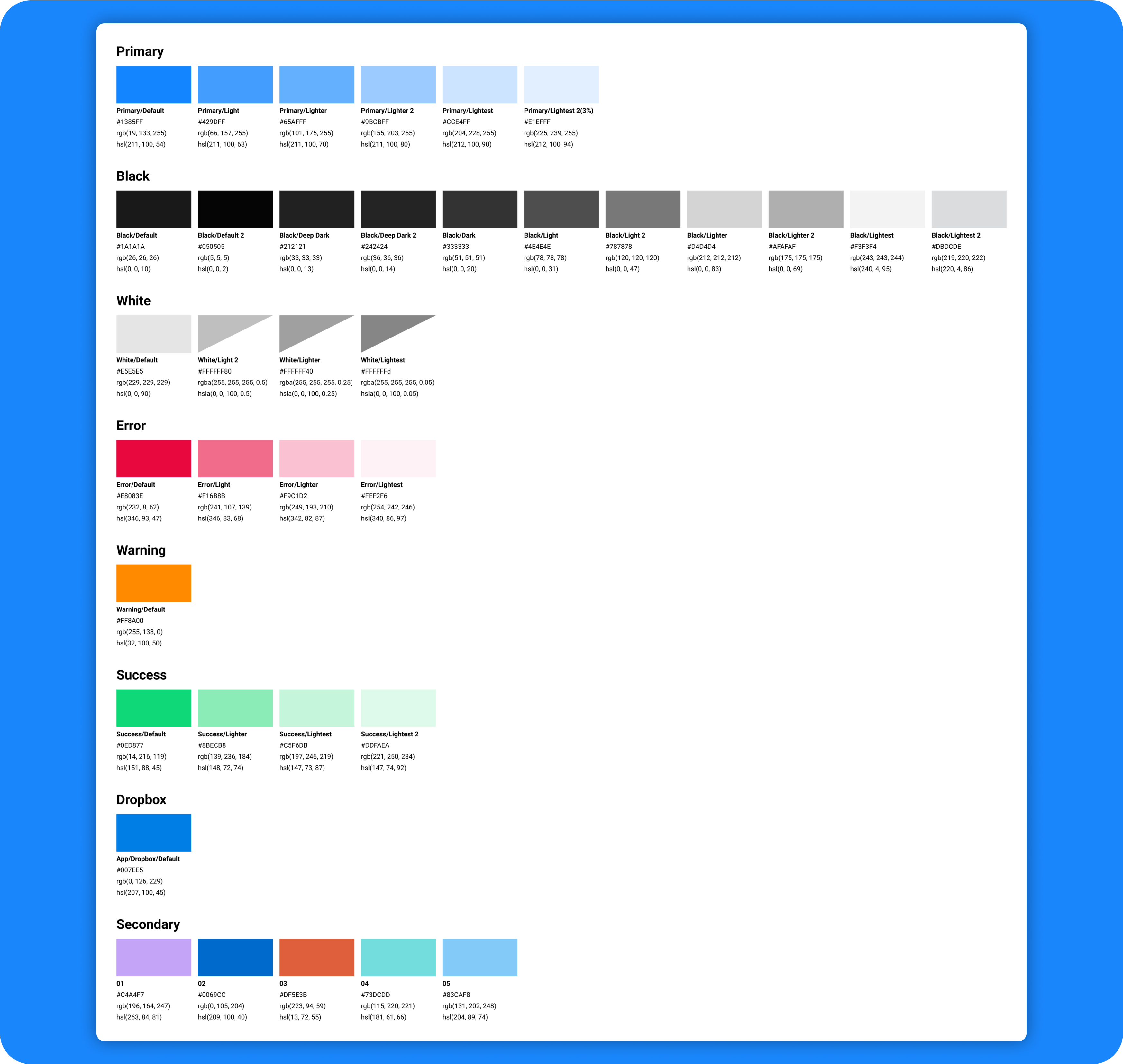
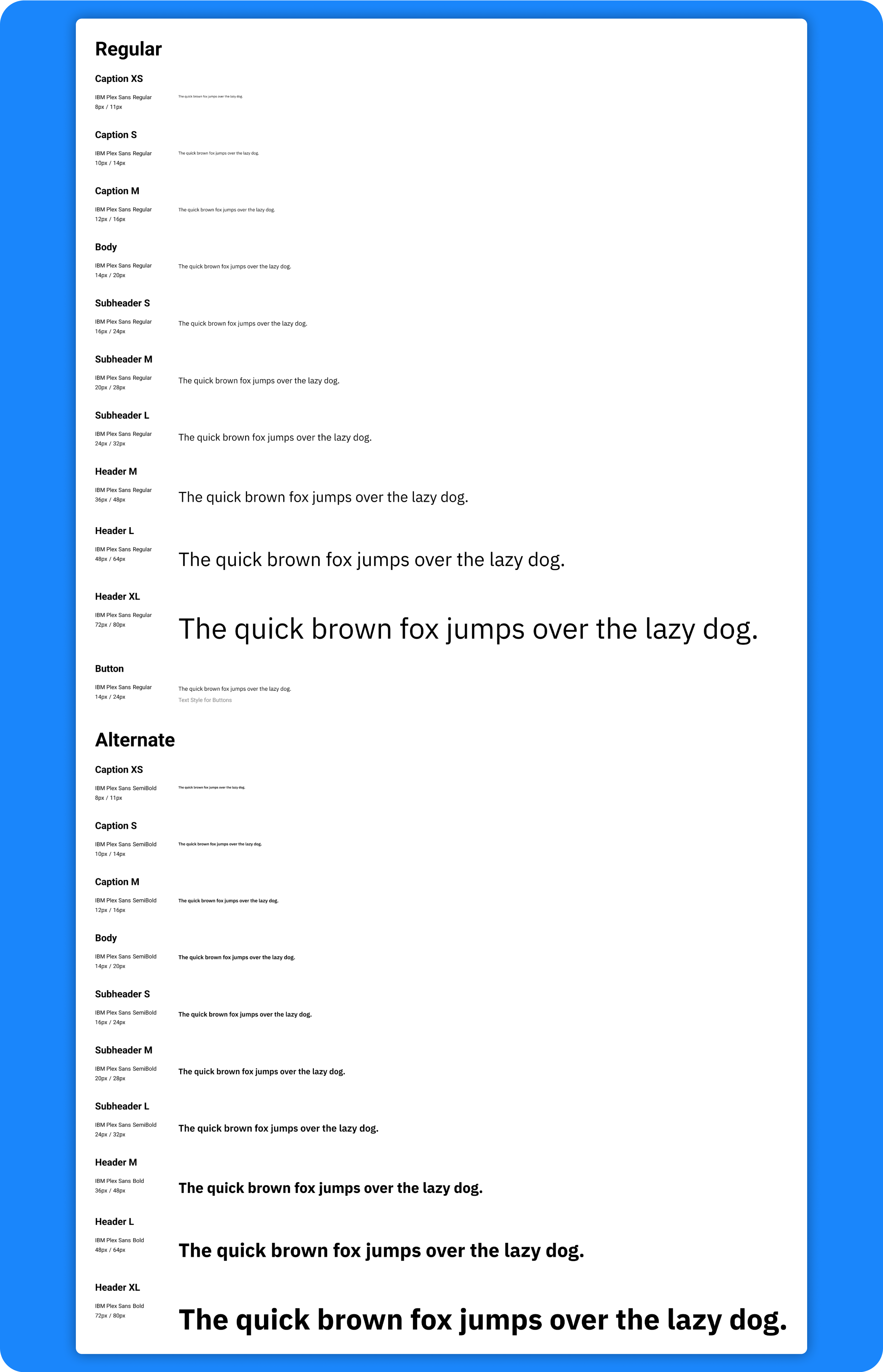
Foundational Style Guide
We created a foundational style guide with consistent colors, typography, and others, unifying Qi Tissue’s visual identity.
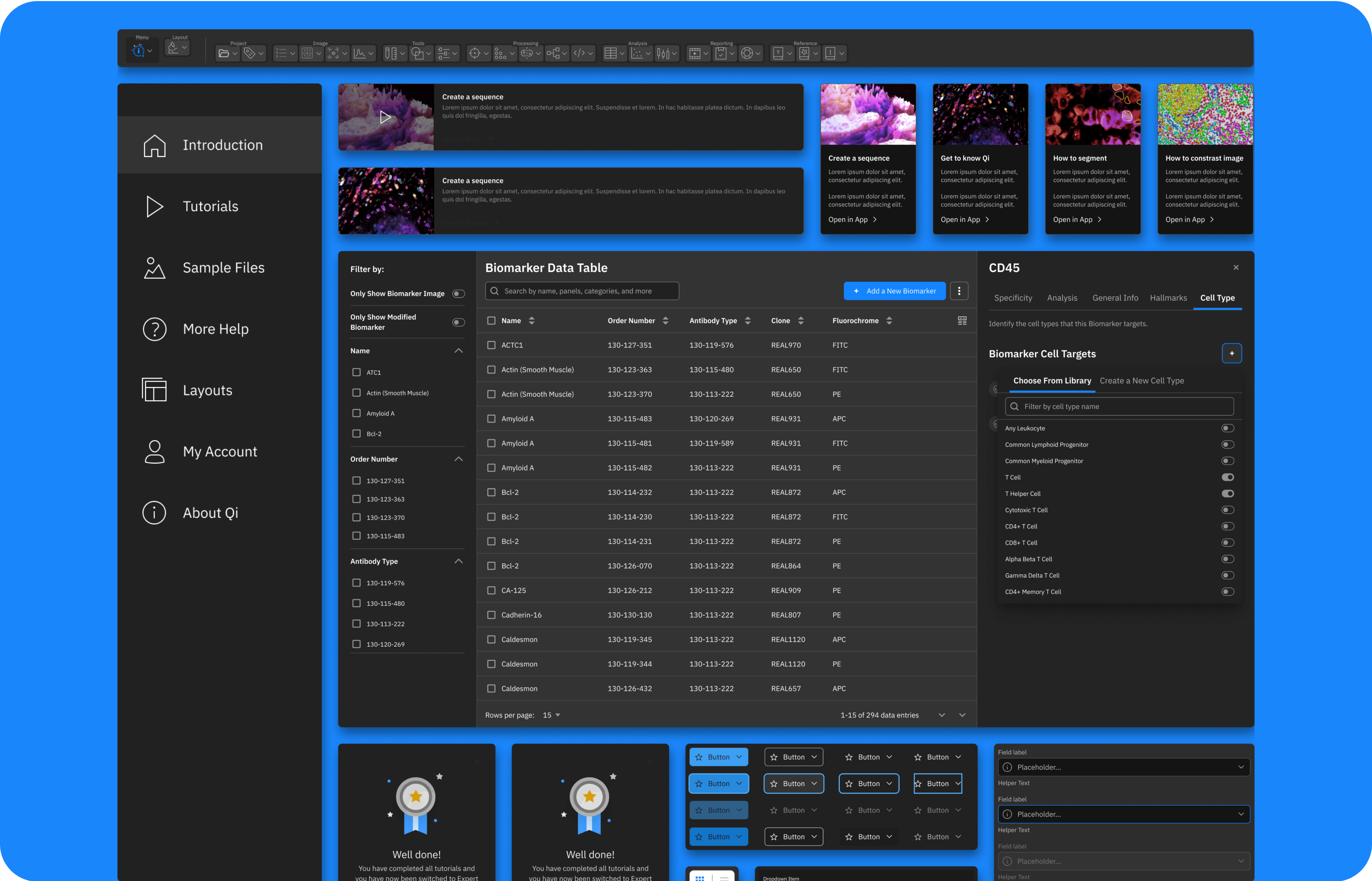
UI Component Library
We developed a UI component library of reusable elements like buttons and forms, enabling faster, consistent design across the platform.
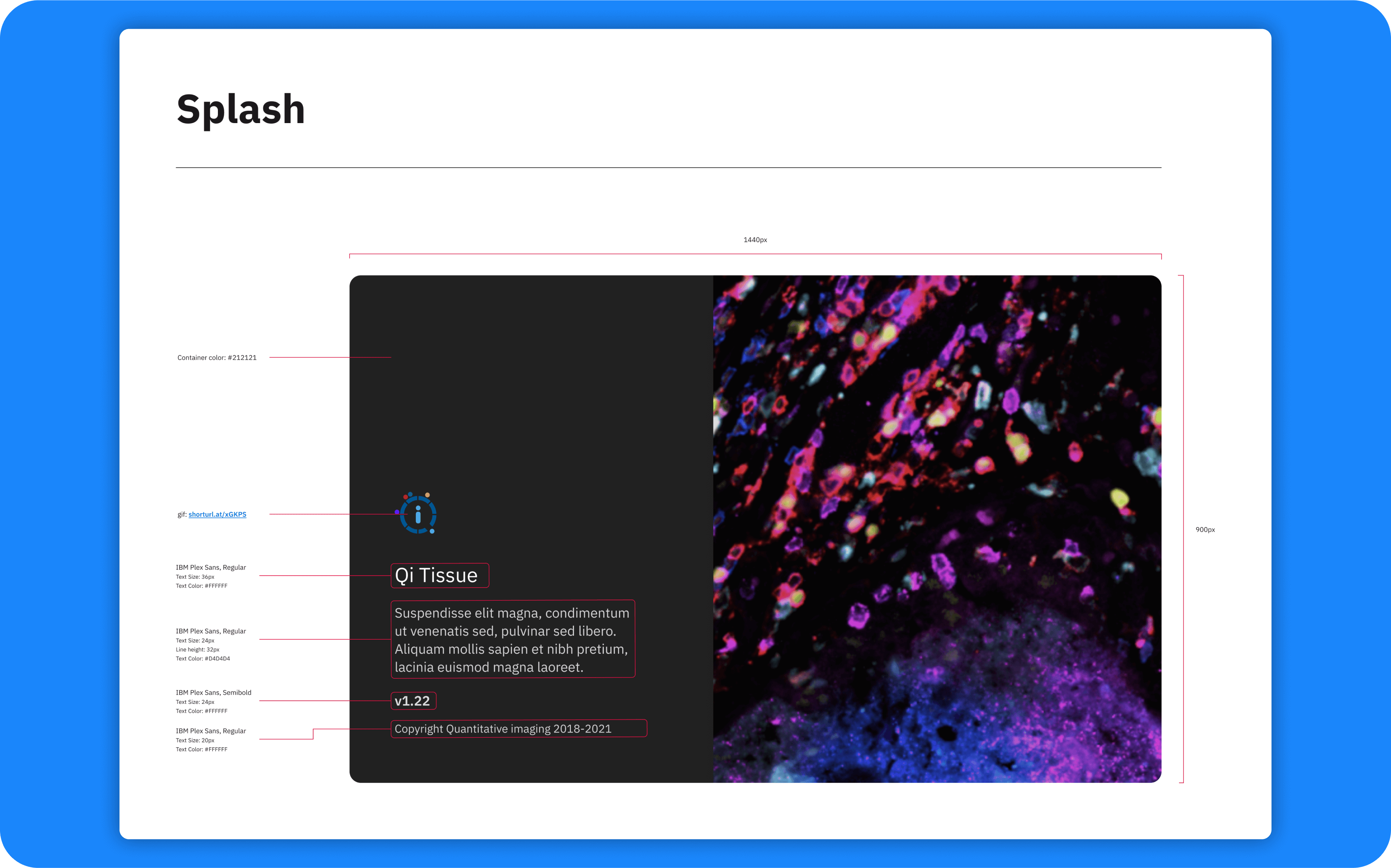
Developer Handoff
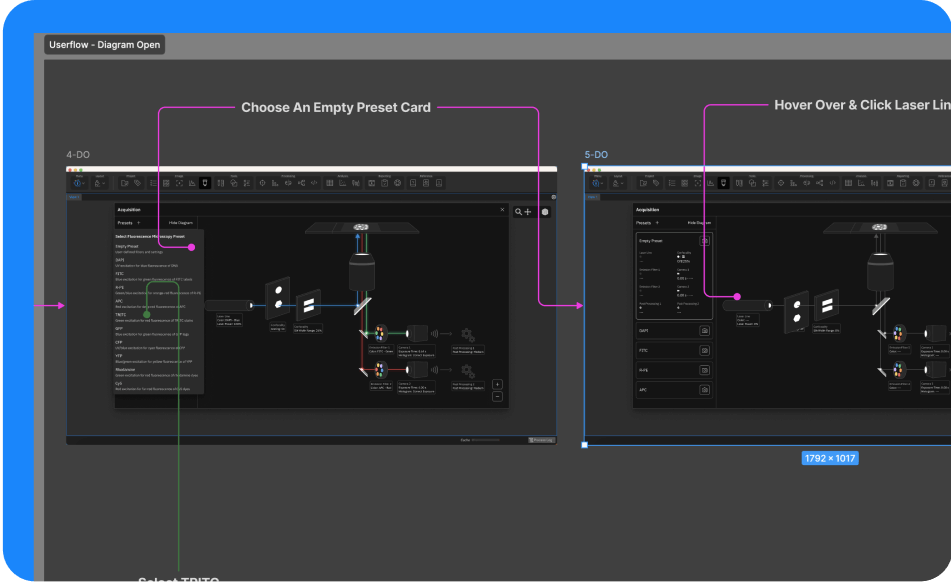
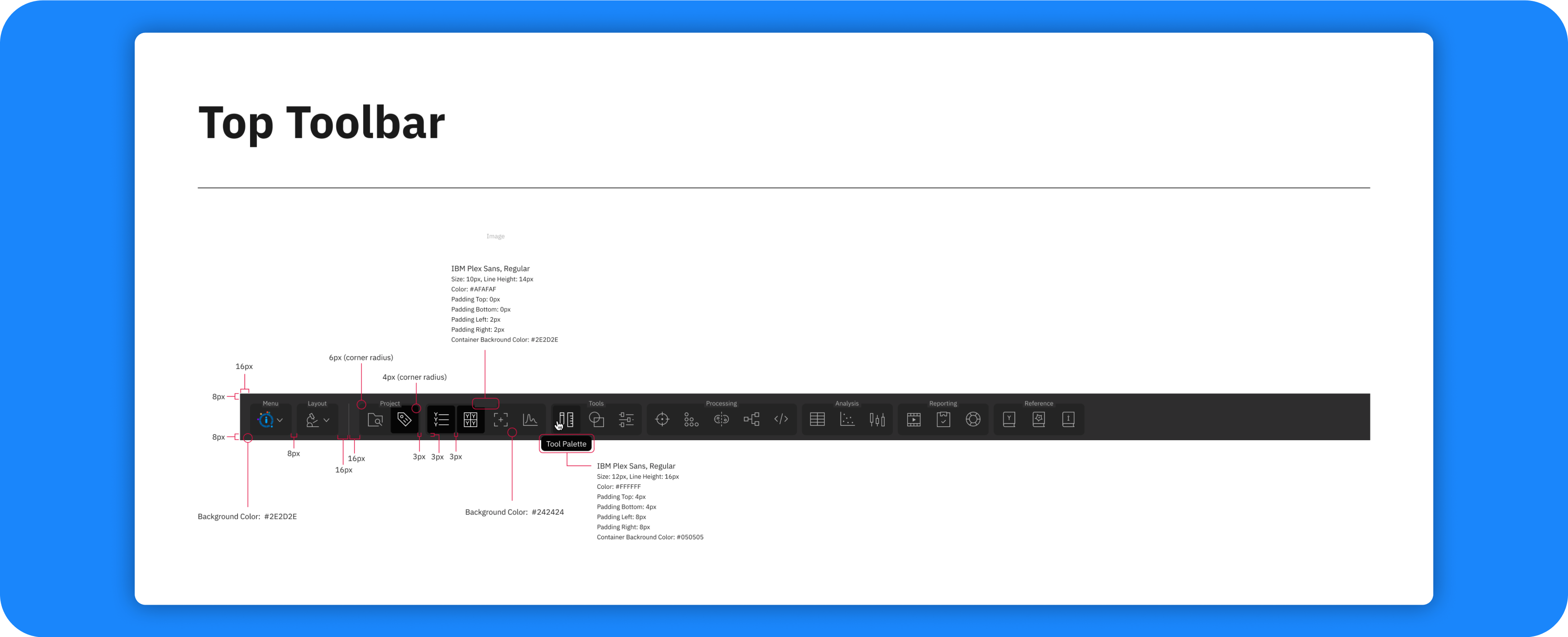
In preparation for the development phase, we have finalized the design assets and ensured all UI components, user flows, and visual elements are ready for handoff.
Results
The Qi Tissue platform now offers an immersive, efficient user experience that empowers researchers to handle large datasets, perform complex tissue analyses, and collaborate effectively. The redesign has led to significant gains in research efficiency, driving progress in personalized cancer diagnostics.